The Hydration Problem: A Frontend Bottleneck

TLDR:
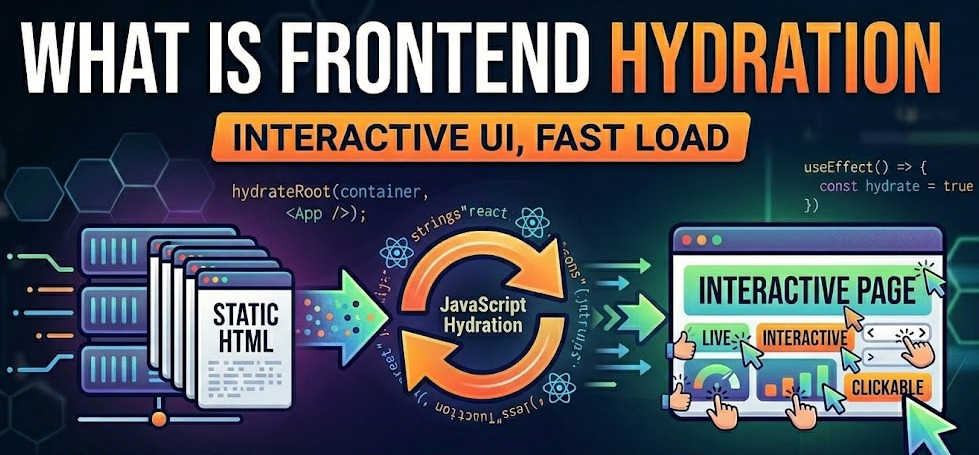
Hydration turns server-rendered HTML into an interactive app—and can become a bottleneck or trigger React hydration mismatch. This guide covers what hydration is, how it works, how to fix mismatches and reduce cost, alternatives like partial and progressive hydration, and how Feature-Sliced Design keeps hydration predictable and optimizable.
Hydration is the step where server-rendered HTML becomes a real application—and it’s also where SSR hydration can turn into a CPU-heavy bottleneck or trigger a React hydration mismatch. When the browser “wakes up” markup with client-side JavaScript, tiny inconsistencies can explode into warnings, broken interactions, and slow INP. Feature-Sliced Design (FSD) at feature-sliced.design helps teams structure code so hydration work stays predictable, isolated, and optimizable.
Table of contents
- What hydration is in SSR and why it matters
- How hydration works under the hood
- Hydration mismatch: causes, symptoms, and fixes
- Why hydration becomes a performance bottleneck
- Practical techniques to reduce hydration cost today
- Alternatives to full hydration
- Architecture is the multiplier: where Feature-Sliced Design helps
- A step-by-step migration path for real codebases
- Conclusion
What hydration is in SSR and why it matters
A key principle in software engineering is separating concerns without breaking the user experience. Server-side rendering (SSR) improves initial paint and helps SEO because the server returns ready-to-display HTML. But SSR alone produces a page that looks correct and still behaves like a screenshot until the client runtime attaches interactivity.
Hydration is the process of taking that server-rendered HTML and “activating” it on the client:
- It reconstructs the client component tree (or equivalent runtime structure).
- It attaches event listeners (click, input, submit, pointer events).
- It reconciles the initial DOM with what the client would have rendered.
- It starts client-only behavior like effects, subscriptions, and timers.
Why hydration exists (and why you can’t skip it in most apps)
If you ship a single-page application (SPA) without SSR, the browser receives a minimal HTML shell, downloads JavaScript, then renders everything on the client. That can produce long “blank screen” phases and weak SEO for content-driven pages.
SSR flips the order:
- Server generates HTML for the route.
- Browser parses and paints quickly (often better FCP/LCP).
- Client JavaScript loads, then hydration makes the UI interactive.
That “step 3” is where many teams pay a hidden tax.
Hydration in one sentence
Hydration is client-side reconciliation + event binding that turns server-rendered markup into an interactive application.
A simple mental model (diagram description)
Picture a four-lane pipeline:
- Lane A (Server): render → HTML
- Lane B (Network): stream/transfer HTML
- Lane C (Browser): parse HTML → paint
- Lane D (Client): download JS → parse/execute → hydrate → interactive
SSR accelerates lanes B and C. Hydration dominates lane D. If lane D is slow, your user sees content but can’t reliably use it.
Related terms you’ll see in practice
- React hydration / hydrateRoot: React’s entry point for attaching to server markup.
- SSR hydration: hydration specifically after server-side rendering.
- Rehydration / client activation: common synonyms used across frameworks.
- Hydration boundary: a place where hydration can be scoped or deferred.
- Progressive enhancement: a design approach that reduces how much must hydrate.
How hydration works under the hood
Even if your framework abstracts it, hydration is a concrete sequence of work on the main thread. Understanding the sequence makes debugging and optimization much more systematic.
The core steps (framework-agnostic)
-
Server render
- The server executes rendering code with route params, cookies, headers, and data.
- It outputs HTML plus often some serialized state (JSON) to avoid refetching.
-
Browser parses and paints
- HTML is parsed into the DOM.
- CSS is applied; the browser paints.
-
Client runtime bootstraps
- JavaScript bundles download.
- The JS engine parses and compiles the code.
- Modules are executed; framework runtime initializes.
-
Hydration reconciles
- The framework walks the existing DOM.
- It builds a component/runtime tree.
- It checks that the DOM “matches” what the client render would produce.
- It wires event handlers and internal references.
-
Effects and subscriptions start
- Effects run, observers attach, timers begin.
- Client-only behaviors finally work.
Why hydration can be expensive
Hydration combines multiple types of cost:
- Download cost: bytes over the network (often mitigated by SSR and caching).
- CPU cost: parse/compile/execute JavaScript and run hydration logic.
- Memory cost: building component trees, storing caches, retaining closures.
- Scheduling cost: main-thread contention affects responsiveness and INP.
The common surprise is that the CPU portion can dwarf the network on real devices, especially when a page hydrates a large component tree.
React-flavored pseudo-code (server + client)
Below is conceptual pseudo-code showing the two sides. The exact APIs vary by stack, but the structure is consistent.
// server.ts (SSR)
import { renderToString } from "react-dom/server";
import { App } from "./app";

export function handleRequest(req) {
  const data = loadRouteData(req.url, req.headers);

  const html = renderToString(<App url={req.url} data={data} />);

  return `
    <!doctype html>
    <html>
      <head>...</head>
      <body>
        <div id="root">${html}</div>
        <script>window.__DATA__ = ${JSON.stringify(data)}</script>
        <script src="/assets/client.bundle.js" defer></script>
      </body>
    </html>
  `;
}
// client.ts (Hydration)
import { hydrateRoot } from "react-dom/client";
import { App } from "./app";

const data = window.__DATA__;

hydrateRoot(
  document.getElementById("root"),
  <App url={location.pathname} data={data} />
);
Hydration is not just “add listeners.” It’s re-rendering in place and validating that server and client output are compatible.
The determinism requirement
Hydration assumes a critical invariant:
The HTML produced on the server must match what the client would produce for the same inputs.
When that invariant breaks, you get a hydration mismatch. When it barely holds but requires a lot of work, you get a hydration bottleneck.
Hydration mismatch: causes, symptoms, and fixes
A hydration mismatch is the runtime telling you: “I expected the DOM to look like X, but it looks like Y.”
In React ecosystems, you might see warnings like:
- “Text content does not match server-rendered HTML.”
- “Expected server HTML to contain a matching ...”
- “Hydration failed because the initial UI does not match what was rendered on the server.”
What a mismatch actually means
At least one of these happened:
- The server rendered with different data than the client.
- The client rendered with different assumptions than the server (locale, timezone, feature flags).
- The markup structure differs (invalid HTML nesting, conditional branches, random IDs).
- A third party mutated the DOM before hydration.
When mismatches occur, frameworks often discard server markup for affected subtrees and re-render on the client. That can turn SSR benefits into wasted work.
Common causes and proven fixes
| Cause (root) | Example symptom | Fix (pragmatic) |
|---|---|---|
| Non-deterministic render | Math.random(), Date.now(), unstable IDs produce different HTML | Generate values on the server and serialize them, or compute only after hydration (effects) |
| Environment-based branching | if (window) or reading localStorage during render | Move client-only logic to effects; keep render pure and deterministic |
| Locale/timezone drift | Dates or numbers formatted differently server vs client | Use a shared locale config; format on one side, or pass formatted strings |
| Data mismatch | Server used cached data, client refetched different data | Ensure a single source of truth: serialize initial data and reuse it |
| DOM mutations before hydrate | A/B testing scripts, extensions, analytics injecting nodes | Isolate affected nodes; defer third-party scripts; use hydration boundaries |
| Invalid HTML | Nested interactive elements, wrong tag structure | Validate markup; fix semantics; ensure consistent structure |
Leading architects suggest treating mismatches as data-contract bugs, not “React quirks.” That mental shift makes your fixes durable.
A step-by-step debugging checklist
Use this flow to diagnose hydration mismatch reliably.
-
Reproduce in production-like mode
- Dev mode sometimes masks timing and scheduling differences.
- Use the production build and actual SSR path.
-
Capture the server HTML and the first client render output
- View page source (server HTML).
- Compare with the DOM before hydration if possible.
- If your tooling allows it, log the “first render” props on client.
-
Check for non-determinism
- Search for:
Date,Math.random,crypto,Intl,window,document,navigator. - Also check generated IDs, keys, and conditional classnames.
- Search for:
-
Confirm identical inputs
- Route params, cookies, headers, feature flags.
- Auth state and permissions are frequent culprits.
- If server and client disagree on “logged in,” mismatch is almost guaranteed.
-
Stabilize formatting
- Dates and currency should come from a shared locale configuration.
- Avoid formatting that depends on the client environment unless intentionally client-only.
-
Isolate third-party mutations
- Temporarily remove analytics, experimentation, or DOM-manipulating scripts.
- Confirm whether the mismatch disappears.
-
Add boundaries for risky zones
- Render a minimal SSR-safe shell for a subtree.
- Hydrate that subtree later or replace it with client-only rendering.
-
Fix the architecture, not just the warning
- The best fixes reduce coupling between environment-specific logic and shared UI.
The “render must be pure” rule of thumb
If your render function reads from:
- global mutable state,
- current time,
- random entropy,
- the browser environment,
then hydration is fragile.
A robust strategy is to keep render deterministic, then move environment-specific behavior to effects or controlled client-only components.
Why hydration becomes a performance bottleneck
Hydration is often described as a “necessary evil,” but that framing is too pessimistic. Hydration is simply work, and work can be made smaller, better scheduled, or avoided.
The bottleneck pattern: fast paint, slow interactivity
A page can look ready quickly (good LCP) while still feeling unresponsive:
- Buttons don’t react immediately.
- Scroll janks when the main thread is busy.
- Typing lags in inputs.
- Clicks are delayed until hydration completes.
This gap is the classic “looks done, isn’t usable” experience—exactly what users dislike.
A practical cost model
Hydration cost tends to scale with three variables:
- JavaScript bytes shipped for the route (download + parse/compile).
- Number of interactive components to activate.
- DOM complexity in hydrated regions.
A simple model you can use when estimating:
- Hydration time ≈
JS_parse + JS_execute + reconcile(DOM) + attach(events)
Even without exact milliseconds, the direction is actionable:
- Smaller bundles reduce parse/compile.
- Fewer hydrated nodes reduce reconcile.
- Fewer handlers and subscriptions reduce attach and runtime overhead.
Why the main thread is the choke point
Hydration competes with everything else the browser needs to do:
- style recalculation,
- layout,
- painting,
- input handling,
- JavaScript execution.
If hydration monopolizes the main thread, responsiveness metrics degrade. In modern UX measurement, INP (Interaction to Next Paint) has become the center of user-perceived performance. Hydration-heavy pages often struggle here because the first interactions happen while the runtime is still “booting.”
How architecture makes hydration heavier than necessary
Hydration is not only about rendering code. Architecture decisions influence it directly:
- Global providers everywhere increase tree depth and re-render work.
- Cross-feature imports pull extra code into the initial bundle.
- Tight coupling makes it hard to defer hydration without breaking logic.
- Shared mutable state forces more components to hydrate “just in case.”
- Side effects in render create extra work and mismatch risk.
As demonstrated by projects using FSD, strong module boundaries and explicit public APIs make it easier to ship smaller route bundles and hydrate only what needs to be interactive.
Hydration waterfalls: the subtle variant
Even if you “defer hydration,” you can still create a waterfall:
- Hydrate root
- Run effects
- Trigger data fetches
- Update state
- Re-render many components
This can double your work. The cure is to design stable initial state and reduce cascaded updates immediately after hydration.
Practical techniques to reduce hydration cost today
The fastest hydration is the hydration you don’t do. The second fastest is the one you do later, in smaller pieces, on a smaller tree.
Below are techniques that work in most stacks without rewriting your entire app.
1) Reduce route-level JavaScript
Focus on what must ship for the initial route.
-
Code-split by route and by feature
- Ensure each route imports only the features it uses.
- Avoid “barrel exports” that pull in unrelated modules.
-
Enforce a public API per module
- Import from a stable entry point instead of deep paths.
- This supports tree-shaking and prevents accidental dependency growth.
-
Eliminate accidental client code
- Keep server-only utilities out of client bundles.
- Avoid shared modules that import both server and client dependencies.
-
Audit bundle growth
- Track JS byte size per route as a regression metric.
- Treat big diffs like performance bugs.
2) Hydrate less UI by default
Not everything on the page needs JavaScript to work.
- Prefer CSS for hover, transitions, and simple toggles.
- Use native HTML: forms, details/summary, input types, dialog (where supported).
- Keep purely informational sections static (no state, no event handlers).
A helpful mindset: interactivity is a product requirement, not a default.
3) Defer non-critical hydration
If a widget is below the fold or rarely used, it can hydrate later.
Common policies:
- Hydrate on visibility (when element enters viewport).
- Hydrate on idle (when the browser is not busy).
- Hydrate on interaction intent (on first pointer move, focus, or hover).
Even without framework-specific directives, you can implement this by rendering an SSR-safe shell and loading the interactive component lazily.
// Pseudo-pattern: "hydrate on interaction"
function DeferredWidgetShell() {
  const [active, setActive] = useState(false);

  if (!active) {
    return (
      <div onPointerEnter={() => setActive(true)}>
        {/* SSR-safe placeholder */}
        <button type="button">Open filters</button>
      </div>
    );
  }

  return <FiltersWidget />; // expensive interactive widget
}
4) Contain state to reduce “blast radius”
Hydration becomes heavier when state changes cause large portions of the tree to re-render.
Prefer:
- localized state per feature,
- memoized selectors,
- minimal context usage at high levels,
- event-driven updates instead of broad global subscriptions.
This is where modularity and cohesion matter: a cohesive slice updates itself without forcing the entire page to re-render.
5) Make server and client renders identical by construction
To reduce mismatches:
- Pass all SSR inputs explicitly (locale, theme, auth state).
- Serialize initial data once; avoid refetching immediately.
- Keep render pure; move environment access to effects.
- Centralize formatting utilities in a shared library.
When inputs are explicit and shared, hydration becomes far more predictable.
Alternatives to full hydration
Many teams conclude: “Hydration is too expensive; we need a different model.” That’s not extreme—it’s a rational response when your UI is large and only parts of it need rich behavior.
Below are modern patterns that reduce hydration work while preserving SSR benefits.
Partial hydration (selective activation)
Partial hydration hydrates only specific components, not the entire page.
- SSR still produces HTML for everything.
- Only chosen “interactive islands” receive client runtime and event handlers.
- Static regions remain static.
This is powerful for content-heavy pages with a few interactive widgets (search, filters, cart badge).
Progressive hydration (schedule interactivity over time)
Progressive hydration stages activation:
- Critical UI hydrates first (header, navigation, primary CTA).
- Secondary widgets hydrate later.
- Below-the-fold sections hydrate on visibility.
This improves perceived responsiveness and reduces main-thread contention during the first interactions.
Islands architecture (a structural approach to partial hydration)
Islands make partial hydration a first-class architectural concept:
- The page shell and content are static or server-rendered.
- Each island is an interactive component with its own boundary and bundle.
- Islands can be loaded and hydrated independently.
The key win is scoping: less JS, less reconciliation, fewer mismatches.
Server Components and server-first UI
Some stacks move more rendering and data access to the server, reducing what the client must hydrate.
- More logic runs on the server.
- The client receives smaller bundles focused on interaction.
- Data fetching often happens server-side, reducing “post-hydration waterfalls.”
This can significantly reduce route-level client cost, but it requires clear boundaries between server-safe and client-only code.
Resumability (a rare but promising attribute)
Resumability aims to avoid full re-execution on the client by encoding enough information in the HTML so the client can “resume” without rebuilding the entire tree.
- Less upfront JS work.
- Event handlers can be attached lazily.
- The page becomes interactive with minimal bootstrapping.
This model changes how you think about state and serialization, so it’s a strategic choice rather than a quick optimization.
Comparison table: hydration strategies
| Strategy | How interactivity is activated | Trade-offs |
|---|---|---|
| Full hydration | Hydrate the whole app/root; attach handlers everywhere | Simple mental model, but highest JS/CPU cost and mismatch surface area |
| Partial / islands | Hydrate only interactive regions; keep content static | Requires boundary discipline; best ROI for content + widgets pages |
| Progressive hydration | Hydrate in phases (critical first, rest later) | Scheduling complexity; needs good prioritization and monitoring |
| Server-first / Server Components | Shift work to server; client handles interaction only | Requires clear server/client separation; architectural investment |
| Resumability | Resume from HTML state without rebuilding whole tree | New constraints and tooling; strong payoff when adopted consistently |
There’s no one-size-fits-all solution, but the common thread is boundaries. The cleaner your boundaries, the easier any alternative becomes.
Architecture is the multiplier: where Feature-Sliced Design helps
Hydration problems rarely come from one line of code. They emerge when the codebase makes it easy to mix concerns:
- server-only and client-only logic in the same module,
- rendering and data fetching intertwined across layers,
- shared UI that depends on global state,
- cross-feature imports that bloat bundles.
Feature-Sliced Design (FSD) is a methodology that helps to mitigate these challenges by aligning structure with real product decomposition and enforcing low coupling and high cohesion.
Why structure matters for hydration
Hydration is sensitive to:
- Determinism: server and client must output the same markup.
- Isolation: risky client-only logic should be contained.
- Explicit contracts: inputs (locale, auth, flags) should be passed intentionally.
- Bundle boundaries: the initial route should not pull unrelated code.
FSD supports all four through:
- layered architecture,
- slices by business capability,
- controlled dependency directions,
- explicit public APIs.
The FSD lens: layers, slices, and public API
In FSD, code is organized into layers such as:
- shared: reusable primitives (UI kit, libs, config)
- entities: business entities (User, Product, Order)
- features: user actions and capabilities (Auth, AddToCart)
- widgets: composed UI blocks (Header, ProductGallery)
- pages: route-level composition
- app: app initialization, providers, routing
Each slice exposes a public API (an index file) so other layers import intentionally, which reduces accidental coupling and supports stable refactors.
Example directory structure (SSR-friendly)
src/
  app/
    providers/
    routing/
    entry-client.ts
    entry-server.ts
  pages/
    product/
    catalog/
  widgets/
    header/
    product-details/
  features/
    add-to-cart/
    auth-by-email/
    set-locale/
  entities/
    product/
    user/
    cart/
  shared/
    ui/
    lib/
    config/
    api/
This organization makes hydration optimization easier because you can choose where interactivity lives:
- A page can be mostly SSR content.
- Widgets can stay compositional.
- Features can become interactive islands with bounded state.
How FSD reduces hydration mismatch risk
Hydration mismatch is often a symptom of implicit dependencies. FSD pushes you toward explicit inputs and stable boundaries.
Common mismatch trigger: a component reads environment-specific data during render.
FSD-friendly fix: move environment access to shared/config and pass computed values as props.
// shared/config/locale.ts
export function getServerLocale(reqHeaders): string {
  // server-safe: read Accept-Language, cookies, etc.
}

export function getClientLocale(): string {
  // client-safe: read navigator.language
}
// pages/catalog/ui/Page.tsx
export function CatalogPage({ locale, initialData }) {
  return (
    <>
      <Header locale={locale} />
      <CatalogList data={initialData} locale={locale} />
    </>
  );
}
Now server and client agree on the initial locale because it’s an explicit contract.
How FSD reduces hydration bottlenecks
Hydration gets expensive when a route bundle includes the world. FSD helps you keep bundles slimmer:
- Features become natural code-splitting units.
- Public APIs prevent deep imports that drag in hidden dependencies.
- Layer rules reduce accidental “shared dumping ground” patterns.
- Isolated slices enable deferred hydration without breaking core flows.
In practical terms, this often means:
- fewer global providers at the root,
- smaller initial JavaScript,
- fewer components forced to hydrate synchronously.
Comparing architectural approaches through the hydration lens
| Approach | Strengths | Hydration / SSR implications |
|---|---|---|
| MVC / MVP (UI-focused) | Clear separation of presentation and logic; familiar patterns | Helps testability, but often weak at bundle boundaries; hydration still heavy if the view layer is monolithic |
| Atomic Design (UI composition) | Strong UI reuse; consistent component taxonomy | Great for design systems, but doesn’t model business capabilities; can encourage over-hydration of “atoms everywhere” |
| Domain-Driven Design (DDD) | Excellent domain modeling; explicit bounded contexts | Strong conceptual boundaries, but needs frontend adaptation; hydration wins require mapping contexts to bundles |
| Feature-Sliced Design (FSD) | Combines domain focus with frontend pragmatism; explicit dependency rules and public APIs | Makes it easier to isolate interactive features, reduce coupling, and adopt partial/progressive hydration systematically |
FSD is not “magic performance.” It’s a structure that makes performance work tractable.
Designing interactive islands with FSD
If you want islands architecture or partial hydration, FSD gives you a straightforward mapping:
- Islands = features (and some widgets) that require client behavior.
- Static content = entities + shared UI rendered on the server.
- Page = composition, orchestrating which parts hydrate and when.
A common pattern:
- Render the product description and reviews SSR-only.
- Hydrate “Add to cart,” “Wishlist,” and “Filters” as independent islands.
This reduces hydration to the minimum interactive surface while keeping a consistent project structure.
Public APIs prevent hidden hydration costs
A frequent bottleneck comes from “one import pulling in everything.”
With public APIs, you discourage deep imports like:
features/add-to-cart/model/private/whatever
Instead you import:
features/add-to-cart
That discipline improves modularity and makes bundle analysis more predictable, which directly affects hydration cost.
A step-by-step migration path for real codebases
If your current project is already large, you don’t need a rewrite. You need a sequence of changes that improves hydration reliability and performance while keeping delivery moving.
Step 1: Make hydration observable
Before optimizing, measure.
- Track hydration warnings in logs (client console capture, error reporting).
- Record key UX metrics (LCP, INP, CLS) per route.
- Monitor JS bytes per route and the count of hydrated islands/components.
This turns “hydration feels slow” into actionable signals.
Step 2: Fix mismatches first (stability before speed)
Hydration mismatch bugs create re-render fallbacks, which waste SSR benefits.
Prioritize:
- Deterministic render (remove random/time/env reads from render)
- Stable initial data (serialize once; avoid immediate refetch)
- Stable formatting (locale/timezone consistency)
- Third-party script isolation
Once stable, performance work becomes more predictable.
Step 3: Introduce FSD boundaries incrementally
A practical adoption path:
- Create shared primitives (UI, lib, config) with strict rules.
- Extract one entity (e.g., Product) with a clear model and UI.
- Extract one high-impact feature (e.g., AddToCart) with a public API.
- Compose via widgets and pages without deep imports.
Each extraction reduces coupling and makes future splits easier.
Step 4: Align code-splitting with slices
Once features and widgets are explicit, code-splitting becomes a structural decision:
- Split heavy features behind user interaction.
- Keep route-critical code minimal.
- Avoid “mega shared” modules that force big bundles.
This is where architectural clarity directly reduces hydration work.
Step 5: Introduce partial/progressive hydration where it pays
Pick targets with high impact:
- below-the-fold widgets,
- rarely used panels,
- dashboards with many interactive controls,
- marketing pages with a few interactive elements.
Adopt a policy:
- “Hydrate on visible”
- “Hydrate on idle”
- “Hydrate on intent”
Because FSD keeps features isolated, implementing these policies doesn’t sprawl across the entire codebase.
Step 6: Prevent regressions with guardrails
Architecture is only useful if it stays consistent.
- Enforce layer rules (no backwards dependencies).
- Require public APIs for slices.
- Track bundle budgets per route.
- Add checks for server/client purity (lint rules for
windowin shared code).
This improves onboarding and keeps hydration improvements durable across teams.
Conclusion
Hydration is essential for turning SSR markup into interactive UI, but it becomes a bottleneck when the client must activate too much code at once—or when server and client renders drift into hydration mismatch territory. The most reliable wins come from making render deterministic, shrinking route-level JavaScript, and hydrating only the UI that truly needs interactivity. Over time, adopting a structured architecture like Feature-Sliced Design is a long-term investment in modularity, clearer public APIs, safer refactoring, and faster onboarding—while also making partial and progressive hydration far easier to implement.
Ready to build scalable and maintainable frontend projects? Dive into the official Feature-Sliced Design Documentation to get started.
Have questions or want to share your experience? Visit the Feature-Sliced Design homepage to join the community.