React State Management: A Scalable Architecture

TLDR:
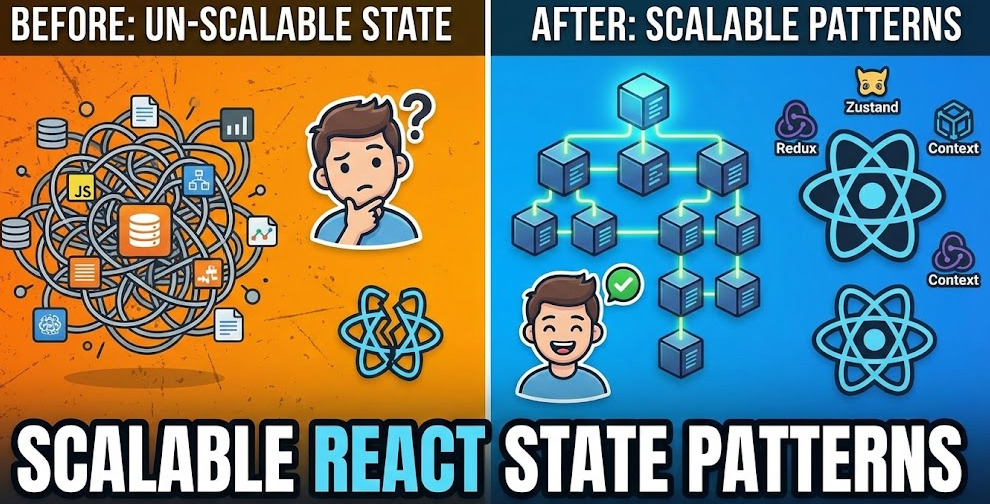
React state scales when you treat it as an architectural concern, not a hook choice. This guide shows how to classify state (local, shared, entity, server), apply useState and useReducer for predictable UI flows, use Context without triggering re-render cascades, and decide when Redux or Zustand is worth the trade-off—then place it all cleanly with Feature-Sliced Design.
SEO description: A practical, architect-level guide to React state management at scale—mastering useState, useReducer, the Context API, and useRef, plus clear criteria for adopting Redux or Zustand and organizing state with Feature-Sliced Design (FSD).
Excerpt: React gives you powerful primitives for state, but scalability depends on boundaries: what belongs in a component, what becomes shared, what is “server state,” and how you expose state through stable public APIs. This article turns those decisions into a repeatable architecture.
React state becomes a long-term architecture problem the moment “just pass it down” turns into prop drilling, accidental global state, and unpredictable state transitions. Feature-Sliced Design (FSD) on feature-sliced.design helps you structure state by responsibility and isolation, so hooks like useState, useReducer, and the Context API stay predictable as the codebase grows. The goal is not “more state tools,” but a scalable state architecture with clear boundaries and low coupling.
How to choose the right React state tool in real projects
A key principle in software engineering is that different kinds of state have different failure modes. If you treat them all the same, you usually get either a giant store (high coupling) or a jungle of contexts (uncontrolled re-renders). A scalable approach starts with a simple taxonomy.
A practical taxonomy of React state
Use this mental model before you pick a hook or a library:
• Local UI state: open/close flags, selected tabs, hover, modal visibility, “isExpanded,” temporary values.
• Form state: input values, validation errors, dirty/touched, submission lifecycle.
• Derived state: values computed from other state (filters, totals, selectors).
• Shared client state: session, theme, feature flags, user preferences, “active workspace,” small cross-page selections.
• Entity state: normalized domain objects (users, posts, products) and their relationships.
• Server state: remote data and its lifecycle—caching, refetching, pagination, optimistic updates, retries.
The best “react state” decision is often not between Redux and Context, but between client state vs server state, and local vs shared.
The anti-goal: one global store for everything
A global store can be useful, but “everything in one store” is a common way to accumulate technical debt:
• High coupling: unrelated features depend on the same state surface.
• Low cohesion: the store becomes a dumping ground, not a model of the domain.
• Hard refactors: changing a shared shape breaks many consumers.
• Performance traps: broad subscriptions trigger too many re-renders.
• Onboarding friction: new developers can’t find “where state lives.”
Leading architects suggest the opposite: keep state close to where it’s used, and only “lift” it when there is a clear sharing requirement.
A quick decision table for hooks and tools (with the “why”)
| Tool / Pattern | Best for | Why it scales (or doesn’t) |
|---|---|---|
useState | Local UI state, small form fragments | High cohesion: state is colocated; minimal API surface; easy refactor boundaries |
useReducer | Complex UI flows, predictable transitions | Makes state transitions explicit; easier testing; supports state-machine thinking |
| Context API | Dependency injection for shared values | Great for stable values; risky for frequently changing values without splitting/selectors |
useRef | Imperative escape hatches, non-render state | Stable identity; avoids re-renders; must be used carefully to avoid hidden state |
| Redux / Zustand | App-wide shared state, cross-cutting entity state | Centralization with controlled subscriptions; best when domain complexity demands it |
| Server-state libs (e.g., TanStack Query) | Remote data caching and synchronization | Treats server state as its own problem: caching, invalidation, refetching, optimistic updates |
If you remember one thing: React hooks are primitives; architecture is about boundaries.
Mastering useState: local state that stays simple
useState is the default for a reason: it supports low coupling by default. Most scalable codebases use useState heavily—not less—because it keeps state close to UI boundaries.
When useState is the right answer
Use useState when the state:
• is owned by a single component (or a small subtree)
• does not need cross-page persistence
• can be reset naturally when the component unmounts
• is easy to understand without a “global” mental model
Examples that age well:
• Modal open/close state
• Accordion expansion
• Local sorting UI (before committing)
• Temporary draft text in a comment box
• “Pending” states for a button click (when not shared)
Avoid stale updates and closure pitfalls
Two patterns reduce subtle bugs:
-
Functional updates when the next value depends on the previous value.
• This prevents stale reads in concurrent rendering and batched updates. -
Keep state minimal; derive the rest.
• Derived state usually belongs in a selector/computation, not a seconduseState.
A robust way to think about this is: minimize the number of “sources of truth.” If you store both items and filteredItems as state, you will eventually make them diverge.
Controlled vs uncontrolled: don’t fight the DOM
For inputs and forms, controlled state is great until you scale form complexity. If a form gets large, every keystroke re-rendering a big tree can become expensive. A pragmatic approach:
• Use controlled inputs for small forms or when you need real-time validation.
• Consider uncontrolled inputs (with refs) or a dedicated form library when forms become complex.
• Keep the “submit payload” as the stable output—don’t force every internal field to be globally shared.
Performance: state granularity beats premature memoization
A healthy pattern is to split components by state ownership:
• Move local state into the smallest component that truly owns it.
• Lift state only when two siblings need coordination.
• Prefer multiple small useState calls over one large “mega state object” when it reduces re-render blast radius.
As demonstrated by projects using FSD, the placement of state—inside the right slice/component boundary—often improves performance more than sprinkling memo() everywhere.
Mastering useReducer: predictable transitions for complex UI flows
When UI logic stops being “set a flag” and becomes “move through a lifecycle,” useReducer becomes the simplest scalable tool. It replaces implicit state changes with explicit transitions.
The reducer pattern: actions, transitions, and invariants
A reducer helps you enforce invariants:
• You can ensure that status: "submitting" never coexists with error != null.
• You can model “cancel,” “retry,” and “reset” without ad-hoc flags.
• You can test transitions as pure functions.
A reducer also shifts you toward event-driven thinking: “What happened?” (action) instead of “What do I set?” (mutations).
A minimal reducer example (UI flow)
A reducer helps you model state transitions explicitly. Instead of scattered setter calls, you define actions that represent events ("DRAFT_CHANGED", "SUBMIT", "RESOLVE", "REJECT", "RESET"), and the reducer enforces valid transitions between states (idle → submitting → success/error). This style scales because the public API is the action set, not a scattered set of setter calls. You can audit behavior by scanning actions.
Using useReducer as a state machine
Search intent often mentions “state machines,” and useReducer is a natural bridge. Even without a dedicated library, you can design your reducer as a finite state machine (FSM):
• Define states (idle, loading, success, error).
• Define events (fetch, resolve, reject, retry).
• Enforce valid transitions (don’t allow resolve from idle if it doesn’t make sense).
This improves predictability and reduces “impossible states,” which are a major source of bugs in complex UIs.
When useReducer beats useState
Use useReducer when:
• Multiple state fields change together and must remain consistent
• Transitions are event-driven (“submit,” “cancel,” “retry”)
• You need a stable mental model for onboarding
• You want testable state logic with a pure reducer
This is a strong default for complex forms, wizards, and multi-step interactions.
useContext and the Context API: ending prop drilling without creating a re-render bomb
The Context API is essential, but it’s also one of the most common sources of accidental performance issues. Context is best understood as dependency injection for React, not as a general-purpose store.
What Context is (and is not)
Context is great for:
• Theme and design tokens
• Localization (i18n)
• Feature flags
• Auth session (often read-mostly)
• Stable “services” (API clients, analytics, logging)
• Routing adapters
Context is risky for:
• Frequently changing values read by large subtrees
• Large objects that change identity often
• “One Context to rule them all”
A robust methodology for large-scale apps is to treat context as a boundary tool, not a dumping ground.
Why Context can cause unexpected re-renders
Context updates trigger re-renders for all consumers when the value changes. Two common footguns:
• Value identity changes: passing {...} inline creates a new object each render.
• Over-scoping providers: placing a provider too high makes updates expensive.
Pragmatic solutions:
• Memoize the provider value when appropriate.
• Split contexts by concern: AuthContext, ThemeContext, FeatureFlagsContext.
• Keep frequently changing state local, and expose stable selectors or callbacks.
A scalable pattern: Context for “capabilities,” not raw state
Instead of providing raw, frequently changing values, provide capabilities:
• Commands: login(), logout(), refreshToken()
• Read methods/selectors: getUser(), isAuthenticated()
• Subscriptions/selectors (if using a store): useUserSelector(...)
This reduces coupling because consumers depend on a public API rather than a shape.
A diagram to sanity-check provider placement
Imagine your app tree like this:
• App Shell (rarely changes)
• Providers for stable dependencies (theme, i18n, API client)
• Page-level providers for page-scoped state (filters, selection)
• Feature-level state colocated near feature UI
A useful exercise is to draw a “re-render radius” diagram:
- Put a dot where the context provider lives.
- Shade the subtree of consumers.
- Ask: “How often does this value change?”
- If the shaded area is large and changes are frequent, you’re building a re-render bomb.
useRef: non-render state and imperative escape hatches (used responsibly)
useRef is often introduced as “access the DOM,” but its architectural value is bigger: it lets you store values that should not trigger renders.
What refs are good for
• DOM access: focus management, measurements, scrolling
• Stable mutable containers: timers, abort controllers, websockets
• Storing previous values: compare last vs current
• Integrating with imperative APIs (charts, editors)
A ref is a stable identity across renders, which is valuable in concurrent React because it avoids state churn.
useRef is not a “hidden store”
A warning for scalable architecture: if you start storing business logic state in refs, you’ll create invisible state transitions:
• No rerender means UI can desync from reality.
• Debugging becomes harder.
• Tests become more brittle.
A good rule:
• Use refs for imperative and performance-sensitive concerns.
• Use state (useState/useReducer) for things the UI must reflect.
When to adopt an external library: Redux vs Zustand vs “just Context”
A pragmatic and objective approach is to introduce an external state library only when the cost of not having one becomes higher than the cost of adopting one.
Signs you’re outgrowing built-in React state
Consider Redux, Zustand, or another store when you see:
• Cross-feature shared state with complex interactions
• Large entity graphs (normalized data, relationships, pagination)
• Need for devtools: tracing actions, time-travel debugging
• Many components need small slices of a large shared state
• Frequent refactors break consumers because state shape is not stabilized
• Requirements for offline mode, optimistic updates, and conflict handling (client state)
Also consider the bigger picture: many “global state” complaints are actually server state problems. If you’re putting fetched data into Redux mainly to cache it, a server-state library may fit better.
Redux: a robust ecosystem for predictable app state
Redux remains valuable when you need:
• Explicit action-based state transitions
• Strong conventions (especially with Redux Toolkit)
• Mature middleware patterns (logging, persistence, analytics)
• Predictable global data flow across many teams
Trade-offs you should acknowledge:
• More ceremony than local hooks
• Requires discipline in slice design and selectors
• Easy to misuse for server state if you don’t separate concerns
Zustand: lightweight store with ergonomic subscriptions
Zustand tends to shine when:
• You want a minimal API and low boilerplate
• You need fine-grained subscriptions (selectors)
• You prefer colocated store logic with fewer conventions
• You want something easy to migrate into incrementally
Trade-offs:
• Less standardized architecture than Redux (which can be a pro or a con)
• Teams may need extra conventions to keep cohesion and boundaries
A comparison table (decision-focused)
| Approach | What it optimizes for | What to watch out for |
|---|---|---|
| Context + hooks | Simplicity, local ownership, minimal dependencies | Provider sprawl, re-render cascades, weak devtools for complex state |
| Redux (Toolkit) | Predictability, conventions, large-team collaboration | Boilerplate if undisciplined; temptation to store server cache in app state |
| Zustand | Ergonomics, incremental adoption, selective subscriptions | Requires architectural conventions to avoid “store sprawl” |
A scalable architecture is not “Redux everywhere.” It’s the right tool per state category, with explicit boundaries.
A scalable state architecture with Feature-Sliced Design: boundaries, public APIs, and isolation
React state management becomes scalable when your architecture enforces two properties:
• High cohesion: state lives with the business capability that owns it.
• Low coupling: other parts of the app depend on a stable public API, not internal details.
Feature-Sliced Design (FSD) is a methodology that helps you achieve that systematically. As demonstrated by projects using FSD, state scales better when it’s organized by features and entities, not by technical layers alone.
Why architecture matters more than the state tool
You can build a scalable system with useState and useReducer alone, or you can build a messy system with Redux. The difference is whether you can answer:
• Where does this piece of state live?
• Who owns it?
• Who is allowed to read it?
• Who is allowed to change it?
• What is the stable public API?
These questions are architectural, not library-specific.
FSD layering as a state placement map
A common FSD mental model includes layers like:
• shared: reusable utilities, UI kit, low-level libs
• entities: domain models (User, Post), their state and selectors
• features: user-facing capabilities (auth, like, search)
• widgets: composed UI blocks
• pages: page composition and page-scoped state
• app: app initialization, providers, routing
This structure encourages a crucial property: state ownership aligns with business responsibility.
Public API: the scalable way to share state
In FSD, each slice exposes a public API. Consumers import from the slice’s entry point, not from internal files. This reduces refactor cost and keeps coupling under control.
A practical file structure example:
src/ app/ providers/ index.ts router.tsx pages/ profile/ ui/ profile-page.tsx model/ filters.ts index.ts widgets/ header/ ui/ header.tsx index.ts features/ auth/ model/ session.ts use-auth.ts ui/ login-form.tsx index.ts entities/ user/ model/ user.ts selectors.ts api/ user-api.ts index.ts shared/ lib/ store/ create-store.ts ui/ button/ button.tsx
Notice how this answers “where does state live?”:
• Page-scoped filters live in pages/.../model
• Auth session logic lives in features/auth/model
• Domain user data shape and selectors live in entities/user/model
• Shared store helpers (if any) live in shared/lib/store
Choosing state tools inside FSD slices
Here’s a practical mapping:
• Component-local UI state → useState inside ui/ components
• Feature workflow state (wizard, form lifecycle) → useReducer inside features/.../model
• Stable dependencies (API client, theme) → app-level providers + Context
• Entity state used across features → store/selectors inside entities/.../model (Redux or Zustand if needed)
• Server state → a server-state layer/pattern; keep it separate from UI state and feature workflow state
FSD doesn’t force Redux or Zustand. It makes either choice safer by defining where state should live and how it should be exposed.
A concrete pattern: Feature workflow with useReducer + public API
In a feature slice like features/auth/model/session.ts, you use useReducer to handle workflow state (anonymous → authenticating → authenticated/error), while server calls live behind an adapter. The public API exports hooks like useAuthSession() that return { state, login, logout }, not internal details. Consumers import from features/auth only. Internals can change without breaking the app, which is a major scalability lever.
Preventing “state leaks” with isolation rules
Scalable state management requires rules. A robust methodology for large apps usually enforces:
• No cross-slice imports into internals: only public APIs.
• No “entities” depending on “features”: keep domain models stable.
• Pages compose; features implement; entities model.
• Shared stays generic: no business logic in shared utilities.
This is how you keep modularity real, not aspirational.
Comparing structural methodologies (state implications)
| Methodology | Core organizing principle | State management impact |
|---|---|---|
| MVC / MVP | Separate UI from logic by technical roles | Can hide state ownership; often produces “god models” in frontend apps |
| Atomic Design | Organize by UI granularity (atoms → pages) | Great for UI libraries; weak for business state boundaries and ownership |
| Feature-Sliced Design (FSD) | Organize by responsibility (features/entities) + layers | Strong ownership, public APIs, predictable placement; reduces coupling as state grows |
This is why FSD fits state management so well: it provides the missing map.
Step-by-step: migrate from spaghetti state to a scalable architecture
A scalable state architecture is built through incremental moves. The goal is to improve cohesion and reduce coupling without freezing product development.
Step 1: Audit and classify your state
Create a simple checklist and tag each stateful area:
- Is it local UI, shared client state, entity state, or server state?
- Who owns it (component, feature, entity)?
- What is its “public API” (what do others need from it)?
- How often does it change, and how wide is its re-render radius?
This turns “we need Redux” into a clear diagnosis.
Step 2: Fix prop drilling with composition first, Context second
Prop drilling is often a symptom of missing composition boundaries.
• First, try component composition: pass children, split widgets, lift only what must be shared.
• If the value is truly shared and stable, introduce Context.
• If the value is shared and frequently changing, consider splitting contexts or using a store with selectors.
This sequence keeps your architecture simpler and reduces accidental global state.
Step 3: Convert “flag soup” to reducers for complex flows
Whenever you see patterns like:
• isLoading, isSubmitting, hasError, isSuccess, isEmpty, hasWarning
…you likely have impossible states. Convert to useReducer with explicit transitions.
Benefits you can measure:
• Fewer bug reports related to “weird UI states”
• Easier unit tests (pure reducer)
• Faster onboarding (the action list documents behavior)
Step 4: Stabilize shared state behind public APIs
Whether you use Context, Redux, or Zustand, enforce a public API boundary:
• Export hooks/selectors/actions from index.ts of the slice.
• Avoid exporting raw state shapes broadly.
• Prefer “capabilities” (commands + selectors) over raw objects.
This reduces ripple effects when refactoring.
Step 5: Separate server state from client state
A scalable pattern is:
• Server state lives in a dedicated approach (query caching, invalidation rules).
• Client state models UI intent and local workflows.
• Entity state is used when you need normalized domain data across features.
This prevents the common trap where Redux becomes a cache for everything.
Step 6: Adopt FSD structure to keep scaling predictable
Introduce FSD gradually:
- Start with
shared/,entities/,features/,pages/,app/. - Move the most painful area first (often a large feature with many screens).
- Add public APIs to slices early.
- Enforce boundaries via lint rules and import policies.
This is an investment that compounds: each new feature has an obvious place for state.
Step 7: Add a “state architecture” definition of done
To keep quality consistent across a team, define simple acceptance criteria:
• Every new shared state has an owner slice.
• Every slice exposes a public API.
• No cross-feature imports into internals.
• State category is explicit (local/shared/entity/server).
• Complex flows use reducers or state machines, not flag soup.
• Re-render radius is reviewed for contexts/providers.
Over time, this reduces technical debt and makes large refactors safer.
Conclusion
Scalable React state management is less about picking the “right” library and more about enforcing boundaries: keep local UI state local with useState, model complex workflows with useReducer, use the Context API for stable shared dependencies, and treat useRef as an intentional escape hatch—not a hidden store. When shared state truly spans features or the domain model becomes complex, Redux or Zustand can add structure and tooling, especially with selective subscriptions and explicit transitions. Most importantly, adopting a structured architecture like Feature-Sliced Design is a long-term investment in cohesion, modularity, and onboarding speed: state gets a clear home, slices expose stable public APIs, and refactors stop cascading across the codebase. Ready to build scalable and maintainable frontend projects? Dive into the official Feature-Sliced Design Documentation to get started. Have questions or want to share your experience? Visit our homepage to learn more!