When to useMemo: A React Performance Guide

TLDR:

useMemo can speed up React apps by caching expensive derived data and stabilizing props for memoized children—but it can also add overhead when used blindly. This guide explains practical heuristics, profiling-driven decisions, and how Feature-Sliced Design reduces render churn by enforcing boundaries and public APIs.
useMemo is often the first tool developers reach for when React performance feels sluggish, but memoization only pays off when you understand the render cycle and referential equality. In large codebases, Feature-Sliced Design (FSD) on feature-sliced.design reduces accidental recomputation by enforcing boundaries and stable public APIs. This guide explains what useMemo does, when it helps, when it hurts, and how to apply it predictably in scalable architectures.
What useMemo actually does and why it matters for React performance
A key principle in software engineering is optimize where it’s measured, not where it’s guessed. To apply useMemo well, you need a crisp mental model:
- Function components run top-to-bottom on every render. Any calculation inside the component body is recomputed whenever React decides to re-render that component.
useMemocaches a value between renders. React reuses the cached value until one of the dependencies changes.- Dependencies are about identity, not intent. React checks each dependency using
Object.is. If you pass a new object/array/function each render, React will treat it as “changed” even if it looks the same.
The two problems useMemo solves
useMemo is valuable when it solves one of these concrete issues:
- Skipping expensive recalculation of derived data (filtering, sorting, aggregating, parsing).
- Keeping a stable reference (object/array) so memoized children can skip re-rendering.
Here’s a simple baseline:
function ProductsPage({ products, query }) {
  // Runs on every render
  const visible = filterAndSort(products, query);

  return <ProductList items={visible} />;
}
Now with useMemo:
function ProductsPage({ products, query }) {
  const visible = useMemo(
    () => filterAndSort(products, query),
    [products, query]
  );

  return <ProductList items={visible} />;
}
The payoff depends on two factors:
- Cost of the calculation (CPU time, allocations, GC pressure).
- Stability of dependencies (how often
products/queryactually change).
useMemo is not a semantic guarantee
A healthy rule: your code should behave correctly without useMemo. useMemo is a performance hint, not business logic. If you need something to persist for correctness (e.g., to store a mutable handle, cache across unmounts, or guarantee no recomputation), consider:
useStatefor stateful values that must persist and update intentionallyuseReffor mutable values that persist without triggering renders- moving the value outside the component if it’s truly static
React rendering, purity, and why “cheap” work is usually fine
Most renders are fast. React is designed so that “re-run the component” is normal. The costs that tend to matter in real apps are:
- Large loops (thousands of items)
- Heavy transforms (sorting, deep cloning, data normalization)
- Expensive library work (chart layout, syntax highlighting, fuzzy search)
- Unnecessary child renders caused by unstable props
If you don’t have one of these, useMemo often adds complexity with little gain.
A quick toolbox view
| Tool | What stays stable | When it helps |
|---|---|---|
useMemo | A value (result of a calculation) | Expensive derived data; stable props for memoized children |
useCallback | A function reference | Stable callbacks passed to memoized children; stable deps for other hooks |
React.memo | A component render (skips re-render) | Pure components that re-render often with identical props |
useRef | A mutable cell across renders | Imperative handles; caches not tied to rendering |
useState | A state value across renders | Values that must persist for correctness and update intentionally |
Leading architects suggest treating these as a cohesive performance toolkit, not isolated tricks.
The real cost of memoization: why useMemo is not free
If useMemo always improved performance, you’d use it everywhere. You don’t—because it has real costs:
- Dependency comparison every render (often trivial, but not zero).
- Extra memory retention (cached values stay alive longer).
- More work for humans (dependency arrays, correctness, refactors).
- Hidden coupling (a memo becomes “sticky” in component design).
Overhead you can feel in large codebases
In small components, a useMemo often costs more than it saves. The cost is not just CPU—it's also architectural:
- Cognitive load: Every
useMemointroduces a “mini-contract” about purity and dependencies. - Refactor friction: Changing a helper signature means updating dependency arrays and chasing subtle stale references.
- Inconsistent style: Teams end up with random memoization patterns and performance folklore.
In other words, overusing useMemo creates technical debt disguised as optimization.
A simple break-even heuristic
You’re looking for a situation like this:
- Without memoization, the calculation costs several milliseconds or triggers significant allocations.
- With memoization, the dependencies change infrequently relative to re-renders.
- The memoized value is either:
- reused many times, or
- required for prop stability to unlock
React.memosavings downstream.
If your calculation is “map 20 items” or “format a date”, it’s usually not worth memoizing.
Memoization can increase GC pressure
Memoization keeps objects alive. If you cache a large array/object, you may reduce CPU time but increase memory usage and delay garbage collection. In performance-sensitive UIs (dashboards, editors, data grids), this trade-off matters.
A practical approach is to memoize smaller, reusable building blocks (e.g., derived IDs, normalized slices) rather than caching giant structures that change often.
When to useMemo: high-confidence scenarios with practical examples
Below are scenarios where useMemo is consistently valuable in real-world React applications. Each one is actionable and measurable.
1) Expensive derived data that rarely changes
This is the classic case: transforming data for rendering.
Good candidates:
- filtering/sorting large arrays
- grouping/aggregating analytics
- fuzzy search indexes
- parsing markdown/MDX (client-side)
- building chart series from raw points
Example: filtering + sorting a large list.
function OrdersTable({ orders, status, sortKey }) {
  const visibleOrders = useMemo(() => {
    const filtered = orders.filter(o => o.status === status);
    filtered.sort((a, b) => compareByKey(a, b, sortKey));
    return filtered;
  }, [orders, status, sortKey]);

  return <Table rows={visibleOrders} />;
}
Step-by-step workflow:
- Measure the transform cost (Profiler or simple timing).
- Add
useMemo. - Re-measure and confirm the improvement.
- Keep dependencies minimal and stable.
If orders is re-created on every render by the parent (common in “data shaping” code), the memo won’t help. Fix the parent first.
2) Stable object/array props for memoized children
A surprisingly common useMemo win is preventing unnecessary child renders.
Problem: you pass an object literal.
function ChartPanel({ points, theme }) {
  const options = {
    grid: theme.grid,
    legend: theme.legend,
    // ...
  };

  return <Chart points={points} options={options} />;
}
Even if theme is unchanged, options is a brand-new object every render. If Chart is wrapped with React.memo, it will still re-render because props changed by identity.
Fix with useMemo:
function ChartPanel({ points, theme }) {
  const options = useMemo(() => ({
    grid: theme.grid,
    legend: theme.legend,
  }), [theme.grid, theme.legend]);

  return <Chart points={points} options={options} />;
}
Notes:
- Prefer primitive dependencies (
theme.grid,theme.legend) over the entirethemeobject when possible. - This improves cohesion: your dependencies document what the options truly rely on.
3) Integrations that depend on stable identity
Some libraries use referential equality as part of their internal caching (tables, editors, visualization libs). In those cases, stable identity is not micro-optimization—it’s correctness of the library’s caching strategy.
Common examples:
- column definitions in data grids
- schema definitions in form libraries
- plugin lists in editors
- query keys or config objects in data clients
function DataGridWidget({ rows, onRowClick }) {
  const columns = useMemo(() => [
    { key: 'id', title: 'ID' },
    { key: 'name', title: 'Name' },
    { key: 'status', title: 'Status' },
  ], []);

  const handlers = useMemo(() => ({
    onRowClick,
  }), [onRowClick]);

  return <Grid rows={rows} columns={columns} {...handlers} />;
}
This pattern avoids “recreate config → library recalculates everything” cascades.
4) Memoizing dependencies of other hooks (carefully)
Sometimes you need a stable object as a dependency for useEffect, useLayoutEffect, or custom hooks. useMemo can work, but there’s a better rule:
- Prefer changing code structure so you depend on primitives, not objects.
Still, a controlled memo can be helpful:
function SearchPage({ query, allItems }) {
  const options = useMemo(
    () => ({ query, limit: 50 }),
    [query]
  );

  useEffect(() => {
    runSearch(allItems, options);
  }, [allItems, options]);
}
This is acceptable when:
- the dependency is inherently a structured object
- you have a clear public API boundary (more on this with FSD)
- you understand how to maintain dependency correctness
If you find yourself stacking memos to “tame” effects, that’s a design smell. Fix the data flow.
When not to useMemo: patterns that waste time and add debt
This section saves teams months of churn. useMemo is often used as a cargo-cult optimization and creates invisible complexity.
1) Memoizing cheap computations
Examples of cheap work:
array.mapover dozens of items- simple
find/includes - formatting strings/dates
- basic JSX calculations
Memoizing these typically increases code size and review cost without measurable runtime gains.
A good signal: if you wouldn’t bother timing it, don’t memoize it.
2) Dependencies change on every render anyway
If a dependency changes frequently, caching is pointless.
Common reasons dependencies change:
- parent creates new arrays/objects each render
- selectors return new references because of poor state normalization
- inline functions are passed around without
useCallback
Example of a “memo that never hits”:
const derived = useMemo(() => compute(x), [{ x }]);
{ x } is new every render, so the memo always recomputes. Use primitives:
const derived = useMemo(() => compute(x), [x]);
3) Using useMemo to hide architectural coupling
If you’re memoizing because:
- re-renders propagate across unrelated features
- a shared “utils” module touches everything
- any change causes a cascade of recalculation
…then the problem is often coupling, not React.
In scalable systems, performance follows architecture. Improving cohesion and reducing cross-module dependencies typically beats sprinkling memoization everywhere.
4) Memoizing for “correctness”
If code only works when useMemo is present, it’s a bug. useMemo can be dropped or recomputed. For correctness, use state, refs, or a more explicit cache.
5) Memoizing values that aren’t used for prop stability or expensive work
A common anti-pattern is memoizing a value that is only used locally and is not expensive:
const classes = useMemo(() => computeClasses(isActive), [isActive]);
This usually provides no benefit and makes styling logic harder to refactor.
6) Doing side effects inside useMemo
useMemo should be pure. Side effects belong in useEffect (or event handlers). If you’re calling APIs, mutating globals, or logging to orchestrate behavior inside useMemo, that’s a reliability risk.
useMemo vs useCallback vs React.memo: a clear mental model and decision checklist
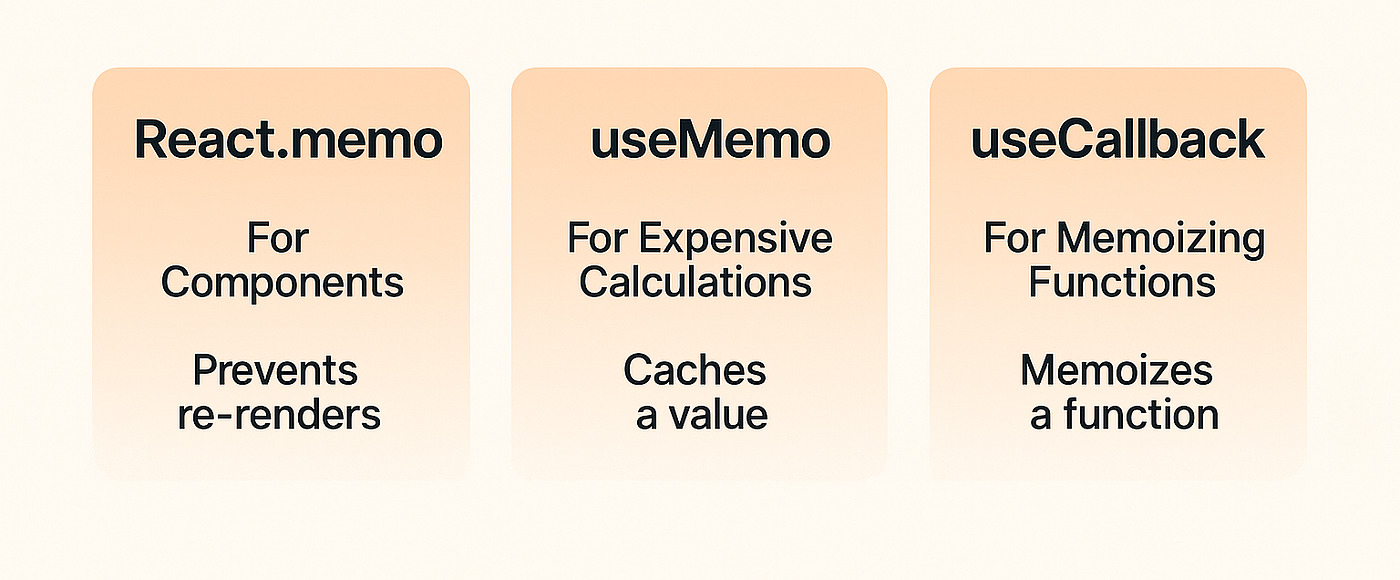
Developers often mix these up. Here’s the simplest correct framing:
useMemomemoizes a valueuseCallbackmemoizes a functionReact.memomemoizes a component render (skips re-render when props are referentially equal)
The “prop stability chain” you should recognize
For React.memo to help, props must be stable. That frequently requires useMemo/useCallback in the parent.
const Child = memo(function Child({ data, onSelect }) {
  // pure rendering
  return ...
});

function Parent({ items }) {
  // Bad: new references every render
  const data = items.map(x => x.id);
  const onSelect = (id) => console.log(id);

  return <Child data={data} onSelect={onSelect} />;
}
A stable version:
function Parent({ items }) {
  const data = useMemo(() => items.map(x => x.id), [items]);

  const onSelect = useCallback((id) => {
    console.log(id);
  }, []);

  return <Child data={data} onSelect={onSelect} />;
}
A practical decision checklist
Use useMemo when:
- The calculation is measurably expensive, and dependencies change infrequently.
- You need a stable object/array to pass into a memoized child or library.
- You’re building derived data that is reused multiple times within the render.
Use useCallback when:
- You pass callbacks to memoized children.
- A callback is a dependency of another hook and must be stable.
- You want a predictable identity for event handlers in integration code.
Use React.memo when:
- The component is pure (same inputs → same output).
- It renders often with identical props.
- Its render work is non-trivial (large subtree, expensive layout).
A small comparison table you can share with teams
| Technique | Memoizes | Typical pitfall |
|---|---|---|
useMemo(fn, deps) | Value returned by fn | Memo never hits because deps change by identity |
useCallback(fn, deps) | Function reference | Overused for callbacks that aren’t passed anywhere |
memo(Component) | Component render by props equality | Props are unstable, so it still re-renders |
A robust architecture makes these tools easier to apply because it reduces accidental prop churn and enforces predictable dependency direction.
Measure before optimizing: a workflow that works in production code
As demonstrated by mature frontend teams, performance work is most effective when it is repeatable.
Step 1: Identify the symptom precisely
Common symptoms:
- typing feels laggy (input latency)
- scrolling stutters (frame drops)
- filters take too long (CPU spike)
- unnecessary network requests (effects re-firing)
Write down a success metric:
- “Typing stays responsive under 16ms per frame.”
- “Filter interaction completes under 50ms for 10k rows.”
- “Chart updates no more than once per user action.”
Step 2: Use React DevTools Profiler to locate hot renders
Look for:
- components with high render duration
- frequent re-renders caused by parent updates
- expensive commits vs expensive renders
A good sign for useMemo is a component that:
- re-renders frequently
- spends noticeable time in a pure transform
- renders children that are already memoized but still update due to unstable props
Step 3: Reduce work before adding memoization
Often the best wins come from:
- moving derived computations closer to where data changes
- normalizing state so selectors return stable references
- splitting components (better isolation)
- virtualizing huge lists
Then apply useMemo where it unlocks wins.
Step 4: Add memoization with a clear justification
In code review, ask for a short comment when useMemo is used:
- What is expensive?
- What makes dependencies stable?
- Is this for prop stability or computation cost?
Example:
const columns = useMemo(buildColumns, []); // stable config for grid; avoids recalculating layout
This keeps performance decisions visible and teachable.
Step 5: Re-check after refactors
Memoization can become stale:
- a dependency changes shape
- a parent starts recreating objects
- a component becomes cheaper to render
Treat useMemo as a living optimization, not a permanent fixture.
Architecture matters: how Feature-Sliced Design reduces unnecessary renders and memoization pressure
In large systems, React performance issues are often symptoms of architecture:
- low cohesion (related logic scattered)
- high coupling (modules depend on everything)
- unstable public boundaries (props change shape and identity frequently)
Feature-Sliced Design (FSD) directly targets these problems by giving you a stable decomposition model: layers → slices → segments, with explicit public APIs and clear dependency direction.
Why architectural boundaries affect React performance
When boundaries are weak:
- parent components “shape” data for many children
- objects/arrays are reconstructed across multiple layers
- unrelated updates propagate widely
- developers compensate with aggressive memoization everywhere
When boundaries are strong (high cohesion, low coupling):
- derived data is computed closer to its source
- memoization decisions are localized
- public APIs reduce accidental prop churn
- refactors are safer, which keeps performance improvements intact
A concrete FSD-friendly project structure
A typical structure (simplified):
src/
  app/
    providers/
    routing/
  pages/
    orders/
      ui/
  widgets/
    ordersTable/
      ui/
  features/
    orders/filter/
      ui/
      model/
      index.ts
  entities/
    order/
      model/
      api/
      ui/
      index.ts
  shared/
    ui/
    lib/
    config/
Key ideas you can apply immediately:
- Keep calculations near the owning slice. If filtering is an “orders filter” feature, compute derived filtered IDs inside
features/orders/filter. - Expose stable contracts through public APIs. Instead of deep imports, export a curated set of objects/components from
index.ts. - Avoid leaking internal structures. When fewer internals leak, fewer parents rebuild data “just to match” internal component needs.
Where useMemo belongs in an FSD codebase
FSD doesn’t “replace” useMemo. It makes it more effective.
Good placement patterns:
- Inside a feature or entity UI component that owns a heavy transform
- At a boundary where you pass config objects to an integration widget (grid, chart)
- In a widget that composes multiple features and needs stable props for memoized leaf components
Less useful placement patterns:
- At the top-level
applayer as a global band-aid - In
sharedas generic memoization wrappers that hide real data flow issues
Comparing FSD with other common approaches
Different architectural methodologies optimize different things. Here’s a pragmatic view for frontend teams:
| Approach | How it organizes code | Common scaling pain |
|---|---|---|
| MVC / MVP | Technical layers (model/view/presenter) | UI grows into monoliths; boundaries blur across features |
| Atomic Design | UI composition hierarchy (atoms → pages) | Business logic placement becomes inconsistent; feature cohesion suffers |
| DDD / Clean Architecture | Domain + use-cases, often backend-inspired | Strong concepts, but frontend folder guidance can be vague |
| Feature-Sliced Design | Feature-centric layers + public APIs | Requires discipline and conventions; pays off as team size grows |
A key principle in software engineering is that architecture guides change. FSD helps you change features without destabilizing unrelated parts of the UI, which naturally reduces unnecessary re-render chains and the urge to memoize everything.
Scaling useMemo in real teams: conventions, linting, and review rules
Once an app grows, consistency becomes performance. These practices keep useMemo effective and maintainable.
Team conventions that reduce bugs
- Memoize with intent, not habit. Prefer “measured hotspots” or “prop stability for memoized children”.
- Keep dependency arrays small and primitive when feasible.
- Avoid deep dependency hacks like
JSON.stringify(obj)unless you fully understand the costs. - Prefer stable data modeling (normalized entities, stable selectors) over memoizing massive derived structures.
- Document why a memo exists (one short comment is enough).
Dependency hygiene rules that prevent subtle regressions
- Treat missing dependencies as correctness bugs.
- Avoid capturing unstable references unintentionally (objects, inline functions).
- Split a large memo into smaller memos if you can reduce dependency volatility.
Example: isolate a stable subset.
const ids = useMemo(() => items.map(x => x.id), [items]);
const selectedIds = useMemo(() => ids.filter(isSelected), [ids, isSelected]);
This can be faster and clearer than one giant memo that depends on everything.
Code review checklist (copy/paste-friendly)
- Is the work expensive enough to justify memoization? (Any measurement, profiler note, or clear reasoning)
- Do dependencies change infrequently? If not, memo likely won’t help.
- Is this memo for prop stability? If yes, confirm the child is memoized or the library benefits from stable identity.
- Are dependencies correct and minimal? Prefer primitives where possible.
- Could architecture fix this instead? (Reduce coupling, move computation into the owning slice, add a public API boundary)
Bonus: the emerging role of compile-time optimization
React is moving toward more automatic memoization via compiler tooling. In practice, this means:
- manual
useMemoanduseCallbackmay become less necessary over time - clear boundaries and purity (which FSD encourages) become even more valuable because they enable safe optimization
The key takeaway is optimistic: a clean architecture compounds performance wins because the system becomes easier for humans and tools to optimize.
Conclusion
The most effective way to use useMemo is to treat it as a measured optimization tool, not a default pattern. Reach for it when you have expensive derived computations with stable dependencies, or when you need stable object/array props to unlock React.memo and prevent unnecessary child renders. Avoid it for cheap work, frequently-changing dependencies, or as a substitute for correct state and data flow.
Just as importantly, performance improves faster in codebases with strong boundaries. Adopting a structured architecture like Feature-Sliced Design is a long-term investment in code quality, refactoring safety, and team productivity—making both memoization and rendering behavior more predictable.
Ready to build scalable and maintainable frontend projects? Dive into the official Feature-Sliced Design Documentation to get started.
Have questions or want to share your experience? Visit the Feature-Sliced Design homepage to join the community.