The Ultimate Guide to Mastering React's useEffect

TLDR:
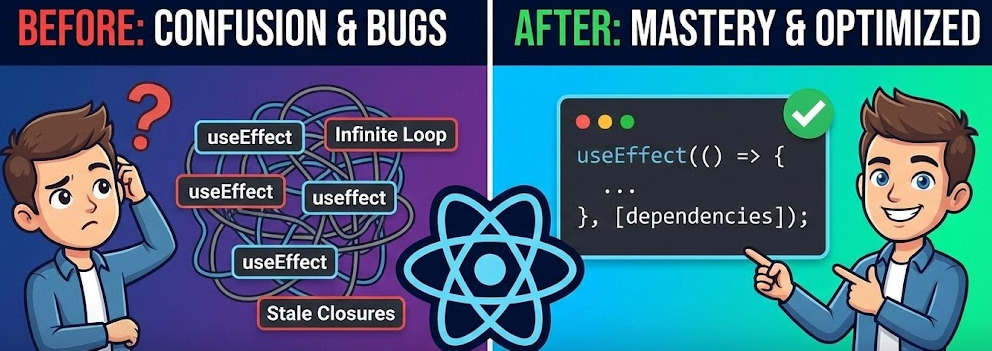
React’s useEffect is where side effects either become a clean synchronization layer—or turn into infinite loops, stale closures, and hidden coupling. This guide explains the render/commit model, how the dependency array really works, safe async data fetching with cleanup, and practical debugging tactics. You’ll also see how Feature-Sliced Design helps keep effects isolated, reusable, and scalable in large React codebases.
React useEffect is the hook that lets your components synchronize with the outside world—data fetching, subscriptions, and browser APIs—but it’s also where many teams accumulate infinite loops, stale state bugs, and hidden coupling. This guide turns React side effects into predictable, testable flows by explaining the render/commit model, dependency arrays, cleanup, and async state. We’ll also show how Feature-Sliced Design (feature-sliced.design) keeps effects scalable in large codebases.
Why useEffect exists: side effects, rendering purity, and React’s commit phase
A key principle in software engineering is separating pure computation from interaction with the environment. React leans into this: the render phase should stay pure—given the same props and state, it returns the same UI. Anything that touches the outside world (network, timers, DOM APIs, analytics, subscriptions, storage) is a side effect and must not run while React is deciding what to render.
useEffect is React’s built-in way to schedule those interactions after React has committed the UI.
The mental model: “render → commit → effect → cleanup”
Describe it as a timeline:
- Render (pure): compute JSX
- Commit (platform): apply changes
- Passive effect (
useEffect): synchronize with external systems - Cleanup: undo previous synchronization
This explains why useEffect is ideal for:
- client-side data fetching
- subscriptions (WebSocket, observables, external stores)
- timers and debouncing
- imperative integrations (charts, maps, media)
- writing outside React (localStorage, URL, analytics)
…and why it’s usually wrong for deriving UI state or reacting to a click (use an event handler instead).
useEffect vs useLayoutEffect in practice
useEffectruns after commit and usually after paint, so it won't block visuals.useLayoutEffectruns before paint; use it for layout measurement and imperative DOM reads/writes that must happen synchronously.
The dependency array demystified: when and why an effect re-runs
If useEffect is when to sync, the dependency array is what the sync depends on.
React re-runs an effect when any dependency value changes by reference equality (Object.is). That tiny detail—reference equality—is the source of most “why is my effect running?” tickets.
The three canonical forms
- No dependency array: runs after every commit (rarely the right default).
- Empty array
[]: runs once on mount, cleanup on unmount. - Specific deps
[a, b]: runs on mount and wheneveraorbchanges.
A quick comparison table
| Dependency pattern | When it runs | Typical use (and common pitfall) |
|---|---|---|
| (no array) | After every commit | Debug logging; pitfall: render loop via state updates |
[] | Mount → unmount | One-time subscriptions; pitfall: stale values captured in closures |
[x, y] | Mount + when x/y changes | Fetch when query changes; pitfall: unstable identities trigger re-runs |
Why “exhaustive-deps” is a design tool, not just lint
The eslint-plugin-react-hooks rule is often accurate about correctness: missing dependencies create stale closures. Leading architects suggest treating the warning as feedback on coupling and cohesion:
- If an effect depends on many values, it likely does too many jobs—split it.
- If adding a dependency causes unwanted re-runs, your API boundaries are unclear—introduce a stable contract (custom hook, adapter, or memoized interface).
Avoiding infinite loops: the state-update trap
An effect runs, sets state, the component re-renders, the effect runs again…
This happens when the effect depends on a value that changes because of the effect, or the effect runs on every render. Fix it by:
- making the effect idempotent (same inputs → same external state)
- guarding
setState(only update when needed) - moving pure computation out of effects (render/memo)
- stabilizing identities when it represents a real interface contract
The identity problem: objects and functions are “new” every render
Consider:
const filters = { status, sort };
useEffect(() => { /* sync filters */ }, [filters]);
filters is a new object each render, so the effect re-runs constantly.
Prefer:
- depend on primitives:
[status, sort] - or define an explicit contract:
useMemo(() => ({ status, sort }), [status, sort]) - or move the whole contract into a feature-level hook that owns synchronization
Cleanup is not optional: subscriptions, timers, and memory safety
useEffect is a two-part API: setup and cleanup. Cleanup prevents leaks and “ghost updates”.
Cleanup rules to memorize
Cleanup runs:
- before the next time the effect runs (when deps change)
- when the component unmounts
Example (timer):
useEffect(() => {
  const id = setInterval(tick, 1000);
  return () => clearInterval(id);
}, []);
Subscriptions: the canonical pattern
For any subscribe/unsubscribe API:
useEffect(() => {
  const unsubscribe = store.subscribe(onChange);
  return unsubscribe;
}, [store, onChange]);
This keeps responsibility tight: one effect owns one external contract.
Strict Mode “double run” in development
In Strict Mode development, React may mount, run effects, cleanup, and re-run to surface non-idempotent code. Treat it as a free stress test: if setup/cleanup aren’t symmetrical, you’ll notice quickly.
AbortController: the practical tool for async cleanup
When fetching, cleanup should cancel in-flight work:
useEffect(() => {
  const controller = new AbortController();

  fetch(url, { signal: controller.signal })
    .catch(err => {
      if (err.name !== "AbortError") throw err;
    });

  return () => controller.abort();
}, [url]);
abort() helps prevent race conditions and wasted work.
Data fetching with useEffect: async state, race conditions, and real-world patterns
Fetching is the most searched react useeffect use case, and it’s easy to accidentally build a brittle mini-framework. The goal is simple: synchronize UI state with remote data while staying resilient to re-renders, dependency changes, and cancellations.
A baseline pattern that scales beyond tutorials
Use a small state machine:
status:"idle" | "loading" | "success" | "error"data: payloaderror: normalized error
Pseudo-code:
useEffect(() => {
  if (!query) return;

  const controller = new AbortController();
  setState({ status: "loading", data: null, error: null });

  (async () => {
    try {
      const res = await fetch(`/api/search?q=${encodeURIComponent(query)}`, {
        signal: controller.signal,
      });
      if (!res.ok) throw new Error("HTTP error");
      const json = await res.json();
      setState({ status: "success", data: json, error: null });
    } catch (e) {
      if (e.name === "AbortError") return;
      setState({ status: "error", data: null, error: e });
    }
  })();

  return () => controller.abort();
}, [query]);
Why this works:
- dependencies are explicit (
[query]) - cleanup cancels in-flight requests
- async state transitions are clear and testable
The stale closure trap in data fetching
Stale closures happen when your effect reads values not in deps (tokens, headers, params). Two robust options:
- Include the value in deps and accept the refetch as correct synchronization.
- Use a ref only when you truly need “latest value without re-running” semantics.
Example (intentional non-refetch):
const tokenRef = useRef(token);
useEffect(() => { tokenRef.current = token; }, [token]);

useEffect(() => {
  fetch(url, { headers: { Authorization: tokenRef.current } });
}, [url]);
Use this sparingly; refs can hide coupling.
When a remote-state library is a better choice
If you need caching, deduping, retries, background refetch, and tracing, libraries such as TanStack Query, SWR, or RTK Query often reduce complexity. useEffect still remains valuable for glue—prefetching, analytics, or subscription wiring—while domain data lives in a purpose-built layer.
Replacing class lifecycle methods with useEffect: a practical migration map
Hooks require a shift: stop thinking “mount/update/unmount” and start thinking “synchronize to inputs, clean up when inputs change”.
A mapping table that holds up in real code
| Class lifecycle | Hook equivalent | Notes |
|---|---|---|
componentDidMount | useEffect(fn, []) | Setup once, cleanup on unmount |
componentDidUpdate | useEffect(fn, [deps]) | Runs when specified inputs change |
componentWillUnmount | cleanup returned from useEffect | Cleanup runs before unmount |
getDerivedStateFromProps | compute during render / memoize | Often indicates redundant state |
The “didUpdate only” pattern
Sometimes you want “run only on updates”:
const didMount = useRef(false);

useEffect(() => {
  if (!didMount.current) {
    didMount.current = true;
    return;
  }
  // update-only logic here
}, [value]);
Use it sparingly; many cases are better expressed as synchronization that is correct on mount and update.
Split lifecycles into cohesive effects
Instead of one large componentDidUpdate, create multiple effects:
- one for subscriptions
- one for document metadata
- one for fetch-on-param-change
Higher cohesion makes refactoring safer.
Debugging useEffect issues: stale state, unexpected re-renders, and dependency churn
Most production issues with react useeffect boil down to:
- wrong dependencies (missing or unstable)
- non-idempotent setup
- async race conditions
- hidden coupling between effect and state
A step-by-step debugging checklist
- Confirm frequency: log with relevant deps and timestamps.
- Inspect identities: objects/functions created during render often cause churn.
- Split responsibilities: smaller effects isolate the real trigger.
- Verify symmetry: setup and cleanup should mirror each other.
- Guard updates: call
setStateonly when the next state differs. - Treat lint as review: suppressing deps is a design decision—document why.
Stale closure fixes: deps vs refs
A common bug:
- handler registered once (
[]) - handler reads
count countchanges, but handler still sees the old value
Fix it with one of these:
- include deps and re-register when inputs change
- move logic into a real event handler (better event boundary)
- use a ref as an escape hatch when re-registering is incorrect/too costly
As a rule of thumb: prefer correct synchronization over ref-based magic.
When not to use useEffect: removing unnecessary effects and redundant state

Unnecessary effects increase coupling and reduce predictability. Deleting them is often the fastest path to a cleaner codebase.
Case 1: Deriving state from props
Instead of:
const [fullName, setFullName] = useState("");
useEffect(() => setFullName(`${first} ${last}`), [first, last]);
Do:
const fullName = `${first} ${last}`;
Case 2: Responding to user actions
Effects are not event handlers. If a side effect should happen because a user clicked, typed, or submitted, do it in the handler.
Case 3: Syncing two pieces of React state
If A can be computed from B, store only B. Less state means fewer effects and fewer re-render chains.
Scaling side effects in large codebases with Feature-Sliced Design
Many useEffect problems are architectural. When effects live “wherever the component is”, teams often see duplicated fetching, inconsistent lifecycles, and hard-to-reuse UI.
Feature-Sliced Design (FSD) addresses this by organizing code around features and domains, with clear boundaries, public APIs, and isolation rules that reduce coupling and improve cohesion.
FSD and Domain-Driven Design: complementary ideas
Domain-Driven Design (DDD) emphasizes bounded contexts and domain language; FSD provides a practical frontend modularization scheme to express those boundaries. In practice, entities/ often aligns with domain concepts, while features/ captures user workflows that orchestrate multiple entities—an effective way to keep side effects owned by the right module.
A quick comparison of common frontend structures
| Approach | What it optimizes | Common pain with hooks/effects |
|---|---|---|
| MVC / MVP | Separation of UI and logic | Drifts into global “controllers” with unclear ownership |
| Atomic Design | Consistent UI composition | Great for UI; side effects and domain logic end up ad hoc |
| Feature-Sliced Design | Domain-centric modularity | Needs boundary discipline and public APIs |
FSD is not “one-size-fits-all”, but it is a robust methodology for teams optimizing scalability, onboarding, and refactoring safety.
For the layering rules, slice boundaries, and community conventions, the official Feature-Sliced Design documentation is the best starting point.
Where effects live in an FSD project
A practical rule set:
shared/: cross-cutting infrastructure effects (logging, analytics adapter, base API client)entities/: domain-level synchronization (user session refresh, entity subscriptions)features/: user-facing workflows (search, checkout, auth) and their orchestrationwidgets/: composition-level wiring (dashboards that combine features)pages/andapp/: routing and global wiring (providers, bootstrapping, global subscriptions)
Example directory structure with effect isolation
src/
  app/
    providers/
      router.tsx
      queryClient.tsx
    effects/
      useAppBoot.ts
  pages/
    profile/
      ui/ProfilePage.tsx
  widgets/
    header/
      ui/Header.tsx
  features/
    search/
      model/useSearch.ts
      ui/SearchBar.tsx
      index.ts
  entities/
    user/
      api/userApi.ts
      model/useUserSession.ts
      index.ts
  shared/
    api/baseClient.ts
    lib/react/useEventListener.ts
    config/env.ts
Notice the pattern:
- UI components in
ui/stay mostly declarative. - Effectful orchestration sits in
model/as custom hooks. - Cross-cutting effect helpers live in
shared/lib/. - Slice
index.tsfiles define the public API, improving isolation.
A lightweight “effect complexity” heuristic (useful in code reviews)
In large apps, teams often get the best ROI by reviewing effects with simple thresholds:
- > 5 dependencies: consider splitting by responsibility
- > 25 lines in one effect body: extract helpers or a custom hook
- > 1 external integration per effect: separate to improve cohesion
- suppressed deps warning: require a comment explaining the contract
These numbers are not laws—they’re practical triggers that keep effect spaghetti from forming.
Advanced patterns: idempotent effects, external stores, and concurrent-friendly synchronization
As React adopts more concurrency and apps integrate more external systems, a few patterns become especially valuable.
Idempotency as a design goal
An idempotent effect can run multiple times without breaking correctness. Aim for:
- setup that tolerates retries
- cleanup that reliably reverses setup
- external systems that handle reconnects gracefully
External stores: consider useSyncExternalStore
For external state containers, useSyncExternalStore provides a concurrency-safe subscription model. useEffect still matters to wire providers once at the app layer or to bridge legacy subscriptions with clean teardown.
Imperative libraries: isolate the bridge
When integrating charts or maps:
- one wrapper component owns the imperative instance
- an effect creates/destroys it
- the rest of the app stays declarative and testable
A practical playbook: recipes you can apply today
Use this as a quick decision system when writing or reviewing react useeffect code.
Recipe 1: Subscription effect
useEffect(() => {
  const unsubscribe = source.subscribe(handler);
  return () => unsubscribe();
}, [source, handler]);
Recipe 2: Fetch-on-change with cancellation
useEffect(() => {
  const controller = new AbortController();
  setStatus("loading");

  (async () => {
    try {
      const data = await api.get(params, { signal: controller.signal });
      setData(data);
      setStatus("success");
    } catch (e) {
      if (e.name === "AbortError") return;
      setError(e);
      setStatus("error");
    }
  })();

  return () => controller.abort();
}, [params]);
Recipe 3: Keep UI “effect-light” via FSD
- orchestration in
model/hooks - cross-cutting adapters in
shared/ - stable public APIs via slice
index.ts
Recipe 4: Reduce dependencies by improving design
If an effect feels fragile:
- split responsibilities
- move pure computations to render/memo
- introduce stable contracts (custom hooks, adapters)
- keep each effect focused on one integration
Conclusion
Mastering react useeffect is less about memorizing snippets and more about adopting a synchronization mindset: keep renders pure, express dependencies honestly, and always pair setup with cleanup. With that foundation, you can fetch data without race conditions (using AbortController), avoid infinite loops by stabilizing identities and guarding state updates, and eliminate stale closures by treating the dependency array as part of your API contract. The long-term win comes from architecture: as the codebase grows, effects become integration points that must be owned, isolated, and refactor-friendly. Feature-Sliced Design provides those rails—clear slice ownership, explicit public APIs, and consistent layering—so side effects stop leaking across the app and new teammates can reason about data flow quickly. Apply the heuristics in this guide in code reviews, and you’ll steadily reduce technical debt while keeping performance and UX predictable.
Ready to build scalable and maintainable frontend projects? Dive into the official Feature-Sliced Design Documentation to get started.
Have questions or want to share your experience? Visit the Feature-Sliced Design homepage to join the community.