A Guide to React's useCallback Hook

TLDR:
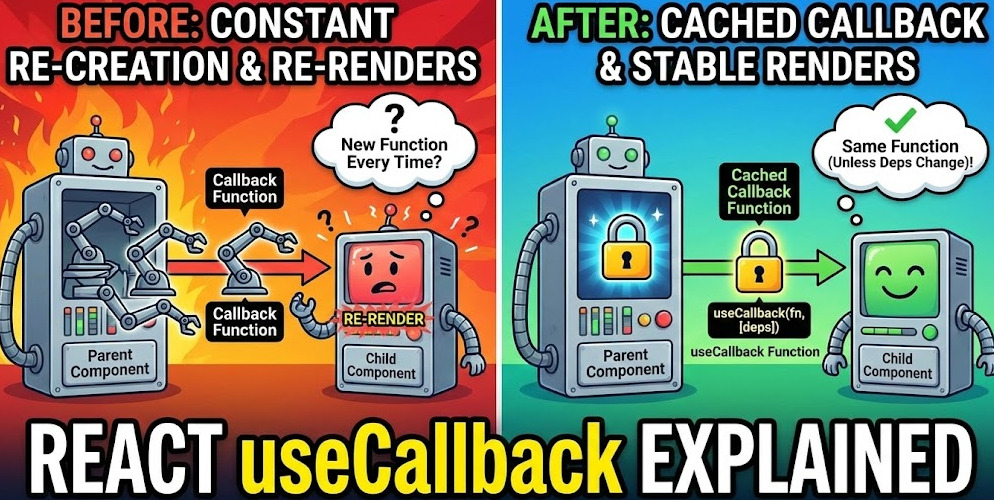
React’s useCallback isn’t about making code “faster” by default—it’s about keeping function references stable so memoized components and hook dependencies behave predictably. This guide explains referential equality, the core performance use cases with React.memo and useEffect, common anti-patterns, and how Feature-Sliced Design supports scalable, low-coupling callback boundaries in large applications.
useCallback is React’s sharpest tool for keeping function identity stable across renders—when you actually need referential equality to unlock predictable memoization and better React performance. Used well, it prevents wasted child re-renders and stabilizes effect dependencies; used everywhere, it increases complexity without measurable value. In large codebases, Feature-Sliced Design (FSD) at feature-sliced.design complements useCallback by reducing prop churn through clear boundaries and public APIs.
Why referential equality matters in React renders
A key principle in software engineering is that interfaces should be stable while implementations can evolve. In React, “interface stability” often comes down to referential equality: whether a prop or dependency is the same reference as the previous render.
The hidden rule: renders create new function objects
In JavaScript, every time you write a function literal—() => {} or function handler(){} inside a component—React will see a new function object on every render.
That means this is always “new”:
function Parent() {
  const onSelect = (id) => setSelectedId(id); // new reference each render
  return <Child onSelect={onSelect} />;
}
Even if the logic is identical, the identity is different. This matters because many React optimizations and dependency checks rely on shallow equality (reference comparisons), not deep structural checks.
Why React cares: shallow comparison and memoized components
React does not automatically skip re-renders just because values “look the same.” It re-renders when a parent re-renders—unless you introduce a memoization boundary such as:
React.memo(Component)for memoized componentsuseMemofor memoized valuesuseCallbackfor memoized callbacks
A memoized child component uses shallow comparison of props. If you pass a function prop that changes identity each render, the child will consider it “changed” and re-render.
Referential equality is both performance and correctness
This is not only about speed. It affects correctness when you rely on stable dependencies in hooks like useEffect or useMemo. Unstable function references can:
- re-trigger effects unnecessarily
- cause subscription churn (unsubscribe/subscribe loops)
- create accidental infinite loops
- force brittle lint suppressions
- increase coupling between a component and its dependencies
When you see “why did this re-render?” in React DevTools Profiler, referential equality is often the missing explanation.
What useCallback actually does (and what it does not)
At a high level:
useCallback(fn, deps)returns a memoized function reference.- The returned function is the same reference between renders until one of the dependencies changes.
Conceptually:
- It caches the function object, not the result of calling it.
- It’s about identity stability, not business logic.
A mental model you can trust
You can think of it like this equivalence:
useCallback(fn, deps)is essentiallyuseMemo(() => fn, deps).
The difference is intent and readability: useCallback says “I want a stable callback,” while useMemo says “I want a stable value.”
What it does not do
useCallback does not:
- make your function “faster” by itself
- prevent the parent component from re-rendering
- avoid work inside the function unless you also avoid calling it
- fix stale closures if you provide an incorrect dependency array
- replace architectural problems like prop drilling or massive components
Memoization is not free. You’re trading CPU and memory for fewer renders or fewer effect executions. The trade is excellent in specific hotspots—and wasteful elsewhere.
Dependency arrays: the contract you must uphold
The dependency array (deps) is a contract: the callback must behave correctly when it is reused.
If your callback reads values from the component scope, those values must be dependencies:
function SearchBox({ query }) {
  const onSubmit = React.useCallback(() => {
    trackSearch(query); // query is captured
  }, [query]);          // so query must be a dependency

  return <button onClick={onSubmit}>Search</button>;
}
If you omit dependencies to “make it stable,” you risk stale data—an easy way to introduce subtle bugs.
Leading architects suggest: prefer correctness first, then optimize with stable identities where it demonstrably improves rendering or effect behavior.
The primary use case: preventing wasted child re-renders with React.memo
The most common and most valuable use case of useCallback is this:
- You have a child component wrapped in
React.memo. - You pass a callback prop to that child.
- The parent re-renders often (state changes, context updates, typing, animations).
- The child doesn’t need to re-render, but it does because the callback identity changes.
A concrete example: memoized child + unstable handler
const ItemRow = React.memo(function ItemRow({ item, onToggle }) {
  // expensive rendering, large DOM, charts, syntax highlighting, etc.
  return (
    <div>
      <span>{item.title}</span>
      <button onClick={() => onToggle(item.id)}>Toggle</button>
    </div>
  );
});

function List({ items }) {
  const [open, setOpen] = React.useState({});

  const toggle = (id) => {
    setOpen((prev) => ({ ...prev, [id]: !prev[id] }));
  };

  return items.map((item) => (
    <ItemRow key={item.id} item={item} onToggle={toggle} />
  ));
}
Even though ItemRow is memoized, it still re-renders when List re-renders because toggle is a new reference each time.
The fix: stabilize the function identity
function List({ items }) {
  const [open, setOpen] = React.useState({});

  const toggle = React.useCallback((id) => {
    setOpen((prev) => ({ ...prev, [id]: !prev[id] }));
  }, []);

  return items.map((item) => (
    <ItemRow key={item.id} item={item} onToggle={toggle} />
  ));
}
Here, toggle uses a functional state update, so it doesn’t need open as a dependency. That keeps the dependency array small and stable.
This pattern is both performant and cohesive:
- the parent owns state
- the callback is a narrow public API for the child
- the child can remain isolated and memoized
A small profiling-style data point (illustrative)
In many real apps, the difference is visible in React DevTools Profiler when a parent updates frequently (typing, dragging, streaming data). An illustrative example might look like this:
| Scenario | Wasted child renders per keystroke | Typical commit time impact |
|---|---|---|
Inline handler passed to React.memo child | 200–2,000 | noticeable spikes |
useCallback + stable deps + memoized child | near 0 | smoother interactions |
Numbers vary by device, reconciliation cost, and component complexity—but the direction is consistent: stable callback props reduce prop-driven invalidation.
Important nuance: memoize only if the child benefits
React.memo is most effective when:
- the child is expensive to render (heavy UI, charts, markdown, large lists)
- props change rarely compared to parent renders
- you can keep props shallow-stable (including function props)
If the child is trivial, React.memo and useCallback can be a net-negative due to overhead and mental load.
useCallback with lists: stable handlers without per-item memoization traps
Lists are a common hotspot because they multiply costs.
A frequent anti-pattern is creating a new callback per row:
function List({ items }) {
  return items.map((item) => (
    <ItemRow
      key={item.id}
      item={item}
      onToggle={() => toggle(item.id)} // new function per item per render
    />
  ));
}
Even if toggle is stable, each onToggle is still a new function. Sometimes that’s fine. Sometimes it defeats memoization.
Prefer “data + stable handler” over “pre-bound closures”
A scalable pattern is:
- pass the stable handler once
- pass the item id (or item) as data
- let the child call the handler with the data it already has
const ItemRow = React.memo(function ItemRow({ item, onToggle }) {
  return <button onClick={() => onToggle(item.id)}>Toggle</button>;
});
If you truly need a stable per-item handler (rare), consider a keyed cache (also rare) or restructure to avoid the need. In practice, optimizing per-item handlers often signals deeper architectural issues (like rendering too many rows without virtualization).
Using useCallback with useEffect: preventing unnecessary effects and loops
The second most important use case is effect dependencies.
useEffect reruns when any dependency changes by reference. If you put a function in the dependency array and that function is recreated every render, the effect runs every render—even if the logic didn’t really change.
The classic subscription churn problem
function Chat({ roomId }) {
  const onMessage = (msg) => {
    console.log("new message", msg);
  };

  React.useEffect(() => {
    const unsubscribe = subscribe(roomId, onMessage);
    return () => unsubscribe();
  }, [roomId, onMessage]); // onMessage changes every render → effect churn

  return null;
}
This causes repeated subscribe/unsubscribe cycles. In extreme cases, it can create performance issues or flickering behavior with real-time systems.
Stabilize the callback so the effect runs only when needed
function Chat({ roomId }) {
  const onMessage = React.useCallback((msg) => {
    console.log("new message", msg);
  }, []);

  React.useEffect(() => {
    const unsubscribe = subscribe(roomId, onMessage);
    return () => unsubscribe();
  }, [roomId, onMessage]);

  return null;
}
Now the effect is correctly tied to roomId changes and the stable handler identity.
But what about values captured by the callback?
If the callback uses values that change, include them:
function Chat({ roomId, userId }) {
  const onMessage = React.useCallback((msg) => {
    trackMessageSeen({ roomId, userId, msgId: msg.id });
  }, [roomId, userId]);

  React.useEffect(() => {
    const unsubscribe = subscribe(roomId, onMessage);
    return () => unsubscribe();
  }, [roomId, onMessage]);

  return null;
}
This is correct, but note what happens: the callback changes when roomId or userId changes, so the effect also re-runs—which is often exactly what you want.
A more cohesive alternative: keep logic inside the effect
Sometimes the simplest solution is to avoid making the callback a dependency at all by moving logic into the effect itself, especially if the callback is only used there:
function Chat({ roomId }) {
  React.useEffect(() => {
    const unsubscribe = subscribe(roomId, (msg) => {
      console.log("new message", msg);
    });
    return () => unsubscribe();
  }, [roomId]);
  return null;
}
This keeps the dependency surface small and reduces coupling.
useCallback vs useMemo: definitive differences and practical guidance
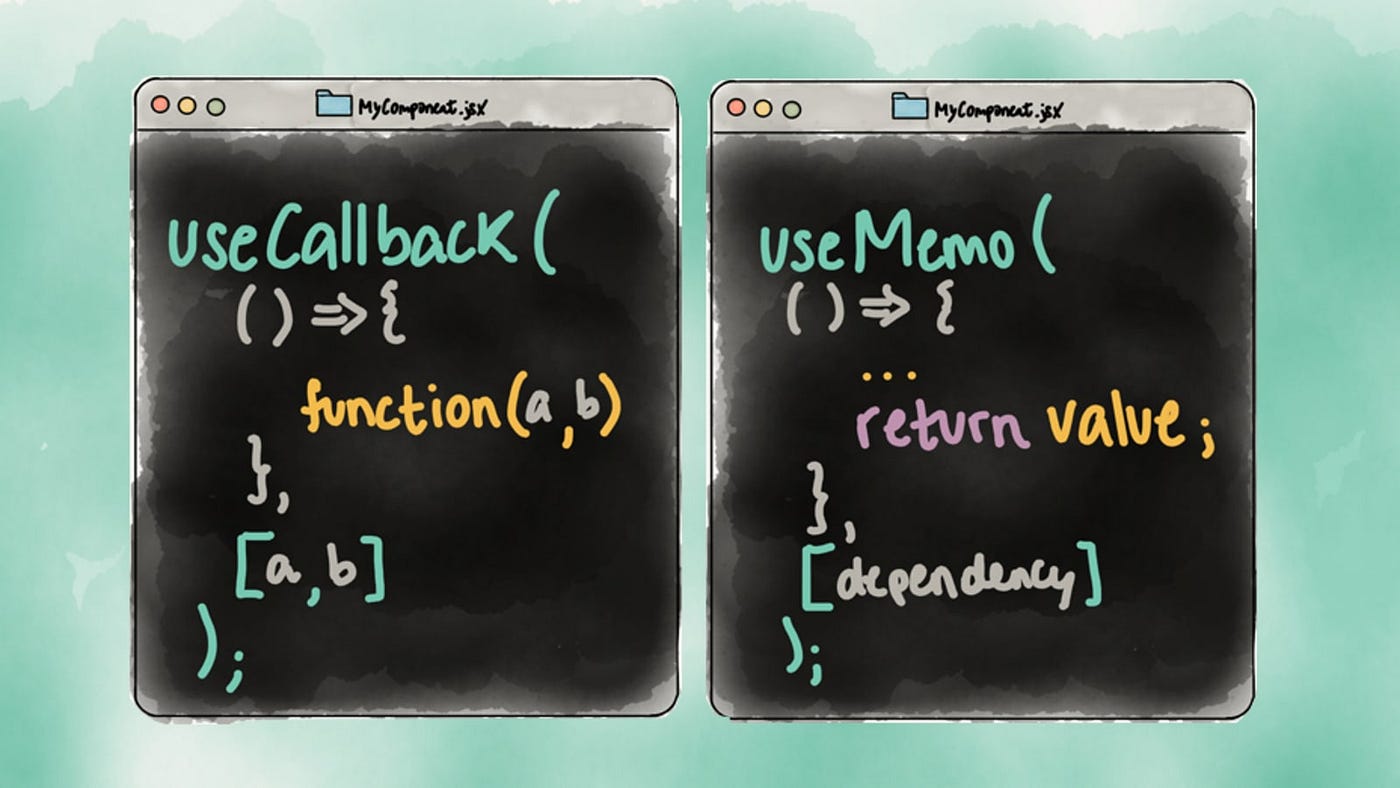
Developers often ask: “Is useCallback just useMemo?” Mechanically, they share the same memoization mechanism. Practically, they communicate different intent.
| Aspect | useCallback | useMemo |
|---|---|---|
| What is memoized? | a function reference | a computed value |
| Typical purpose | stable callback props, stable effect deps | avoid expensive recalculation, stable object/array props |
| Equivalent form | useMemo(() => fn, deps) | not the same as useCallback |
Why the distinction matters for large teams
In scalable codebases, clarity beats cleverness:
useCallbacksignals: “I need this function identity to be stable.”useMemosignals: “I need this value to be stable or expensive to compute.”
That distinction helps reviewers reason about intent, and it reduces accidental misuse.
A useful rule of thumb
- If you pass a callback to a memoized child or into a dependency array: reach for
useCallback. - If you compute a derived value (filtered list, transformed object, memoized selector output): reach for
useMemo.
In both cases, verify that the memoization actually reduces meaningful work. Otherwise, you are paying overhead for no benefit.
When NOT to use useCallback: costs, coupling, and anti-patterns
The internet is full of advice like “wrap all handlers in useCallback.” That guidance does not scale. Overusing useCallback increases technical debt by spreading dependency arrays everywhere.
The real costs
Using useCallback has costs that are small individually but significant at scale:
- Cognitive load: you must maintain accurate dependency arrays
- Refactor friction: small changes require dependency updates
- Hook churn: more hooks per component makes code less readable
- Memory pressure: caching function references adds allocations that live longer
- False confidence: stable identity can mask stale closure bugs
As demonstrated by projects using FSD, the best optimization is often structural: smaller components, clearer ownership boundaries, fewer cross-layer props, and stable public APIs.
Anti-pattern 1: memoizing everything “just in case”
function Toolbar({ theme }) {
  const onClick = React.useCallback(() => {
    console.log("clicked");
  }, []); // no dependency, but also no benefit

  return <button onClick={onClick}>Click</button>;
}
If Toolbar is not passing the callback into a memoized boundary, this adds complexity without preventing any real work. React still re-renders Toolbar when its parent does.
Anti-pattern 2: dependency explosion that defeats stability
function Editor({ doc, user }) {
  const save = React.useCallback(() => {
    api.save({ doc, user });
  }, [doc, user]); // changes frequently → callback unstable anyway
}
If doc is a new object on each render (common when derived from state), the callback changes anyway. You’ve added complexity without stabilizing anything.
This is a hint to improve data stability first (e.g., normalize state, memoize derived objects, avoid recreating large objects unnecessarily).
Anti-pattern 3: lint suppression instead of correct dependencies
Disabling hook dependency warnings is a red flag. It often introduces stale closure bugs:
- handler uses outdated state
- effect sees old props
- callbacks “work” until edge cases appear in production
Prefer patterns that keep dependencies minimal and correct:
- functional state updates
- stable dispatch functions (
useReducer) - splitting components
- isolating features via well-defined public APIs
A decision framework: when useCallback is worth it
Instead of rules like “always” or “never,” use a decision checklist.
Use useCallback when all of these are true
- The callback is passed to a memoized child (
React.memo,memo-based design system components). - The child would otherwise re-render frequently due to parent renders.
- The callback can have a small, stable dependency array.
- The cost of wasted renders is meaningful (measurable with Profiler).
Or use useCallback when you have a dependency problem
Use it when:
- a callback is in
useEffectdependencies and causes unnecessary reruns - a callback is in
useMemodependencies and invalidates a derived value too often - a callback is part of a subscription lifecycle (websocket, events, observers)
Do not use useCallback when any of these are true
- the component is not a performance hotspot
- the callback is not crossing a memoization boundary
- the dependency list is large and changes often
- the callback is trivial and renders are cheap
- you are doing it “for style” instead of an outcome
This pragmatic approach keeps your code cohesive and avoids premature optimization.
Advanced patterns: stable callbacks without stale closures
Sometimes you want a stable callback identity but also need the latest state/props. This is where teams often reach for hacks. The safe approach is to explicitly manage “latest values” via refs.
Pattern: “latest ref” + stable callback
function useLatest(value) {
  const ref = React.useRef(value);
  ref.current = value;
  return ref;
}

function Player({ src, volume }) {
  const volumeRef = useLatest(volume);

  const onTick = React.useCallback(() => {
    // reads the latest volume without re-creating the callback
    audio.setVolume(volumeRef.current);
  }, []);

  React.useEffect(() => {
    const id = setInterval(onTick, 1000);
    return () => clearInterval(id);
  }, [onTick]);

  return null;
}
This pattern is useful for intervals, event listeners, and subscriptions where you want:
- stable setup/teardown behavior
- up-to-date values inside the handler
Use it carefully. Overuse can hide state flow and reduce transparency. It’s best reserved for integration boundaries (timers, sockets, DOM events), not routine UI handlers.
Pattern: prefer stable primitives and functional updates
Many callbacks can be stable if you avoid capturing changing objects:
- Use functional updates:
setState(prev => next) - Use reducer dispatch:
dispatch({ type: ... })(dispatch is stable) - Normalize state to avoid passing large objects as dependencies
These choices reduce coupling and improve modularity.
Architectural perspective: how Feature-Sliced Design reduces the need for defensive memoization
Performance optimization is easier when the architecture encourages isolation, high cohesion, and low coupling. Feature-Sliced Design (FSD) does this by organizing code around business capabilities and enforcing clear layer boundaries.
Why architecture influences useCallback usage
Many “I need useCallback everywhere” situations come from architectural symptoms:
- too much prop drilling across many component levels
- large components that own unrelated responsibilities
- unstable “utility objects” created during render
- missing public APIs that force internals to leak as props
FSD helps mitigate these issues by making it natural to keep state and handlers close to where they matter, and expose only stable interfaces across slices.
A quick FSD mental model
FSD typically organizes UI code into layers like:
shared(reusable UI kit, utilities)entities(domain entities like User, Order)features(user-facing actions like “Add to cart”)widgets(compositions of features/entities)pages(route-level composition)app(providers, routing, initialization)
The key idea: each slice should have a public API and hide internal implementation details. This reduces accidental cross-slice dependencies and makes refactoring safer.
Where callbacks live in FSD (practical guidance)
A cohesive placement strategy:
- UI event handlers that only affect local UI state belong in the closest
uicomponent. - Domain actions (mutations, commands) belong in a
featureand are exposed through its public API. - Shared components accept callbacks as part of a stable interface, but they should avoid forcing consumers to pass freshly created handlers unnecessarily.
An example directory sketch:
src/
  features/
    toggle-item/
      ui/
        ToggleButton.tsx
      model/
        useToggleItem.ts
      index.ts      // public API exports
  entities/
    item/
      model/
        types.ts
      ui/
        ItemRow.tsx
      index.ts
  widgets/
    item-list/
      ui/
        ItemList.tsx
In features/toggle-item/model/useToggleItem.ts, you can define the action and return stable handlers:
export function useToggleItem() {
  const dispatch = useAppDispatch();

  const toggle = React.useCallback((id) => {
    dispatch(itemsActions.toggle(id));
  }, [dispatch]);

  return { toggle };
}
Then widgets/item-list/ui/ItemList.tsx composes:
function ItemList({ items }) {
  const { toggle } = useToggleItem();
  return items.map((item) => (
    <ItemRow key={item.id} item={item} onToggle={toggle} />
  ));
}
This approach supports scalability:
- Isolation: feature logic is not scattered across pages
- Cohesion: handlers and state transitions live together
- Stable contracts:
ItemRowreceives a stableonToggle - Refactor safety: internal changes stay behind the feature public API
The result is not “more hooks,” but fewer accidental invalidations and fewer places where you feel compelled to memoize defensively.
Comparing architectural approaches: where useCallback fits in large-scale frontend
Architectural methodology shapes how often you hit referential-equality pitfalls.
| Approach | Strengths | Common pitfalls in React apps |
|---|---|---|
| MVC / MVP | clear separation of concerns in classic UI | React components often become “Views + Controllers” mixed; callbacks leak through many layers; prop drilling increases |
| Atomic Design | consistent UI composition and design system thinking | can over-focus on UI hierarchy; business logic placement becomes unclear; memoization becomes patchwork |
| Domain-Driven Design (DDD) style | strong domain modeling and ubiquitous language | without a frontend-oriented slicing strategy, UI boundaries get fuzzy; domain services may become global singletons |
| Feature-Sliced Design (FSD) | business-oriented modularity, public API boundaries, scalable composition | requires discipline in layer rules; teams must align on slice ownership and exports |
useCallback is useful in all approaches, but it shines when the architecture encourages:
- stable, minimal interfaces between modules
- local reasoning about state and events
- fewer unnecessary prop chains
That is exactly the environment FSD aims to create.
Practical step-by-step: diagnosing and fixing useCallback problems
If you want outcomes—not folklore—follow this workflow.
Step 1: Confirm you have a real re-render or effect problem
Use tools:
- React DevTools Profiler: look for frequent commits and “wasted renders”
- “why-did-you-render” (in development) to detect avoidable re-renders
- Performance tab for long tasks and GC spikes (secondary signal)
Don’t optimize blind. Target hot paths.
Step 2: Identify the invalidating prop or dependency
Typical culprits:
- inline callbacks passed to memoized children
- inline objects/arrays (
{}/[]) passed as props - unstable selectors or derived data computed during render
- effect dependencies that include freshly created functions
Step 3: Choose the smallest, most cohesive fix
Options in order of preference:
- Move logic closer (split components, reduce prop drilling).
- Stabilize data (memoize derived objects, normalize state).
- Stabilize callbacks (
useCallback) when crossing memo boundaries. - Re-evaluate memo boundaries (maybe
React.memoisn’t needed).
Step 4: Write correct dependencies, then simplify them
Tactics that reduce dependency surface:
- prefer functional updates to avoid capturing state
- use stable dispatch/setter functions
- avoid capturing large objects; capture ids/primitives
- extract feature actions to a dedicated hook/module (FSD-friendly)
Step 5: Re-profile and keep the win measurable
If the Profiler timeline doesn’t improve—or the code got harder to read—undo the change. Optimization should increase confidence, not reduce it.
Common misconceptions about useCallback (and the accurate version)
-
Misconception: “useCallback prevents re-renders.”
Accurate: It prevents re-renders only indirectly by keeping props stable for memoized children or keeping dependencies stable. -
Misconception: “useCallback is always a performance win.”
Accurate: It can be a net cost unless it avoids more work than it adds. -
Misconception: “Empty dependency array is safest.”
Accurate: It is safest only if the callback truly does not depend on changing values; otherwise it risks stale closures. -
Misconception: “If ESLint complains, disable it.”
Accurate: Dependency warnings often point to real correctness issues; fix the design or the dependencies.
Conclusion
useCallback is fundamentally about referential equality: keeping a callback’s identity stable so memoization boundaries (React.memo) and hook dependency arrays (useEffect, useMemo) behave predictably. The highest-value use cases are preventing wasted child re-renders and avoiding unnecessary effect reruns, especially around subscriptions and expensive UI. The best practice is selective application: optimize hotspots, keep dependency arrays correct, and prefer structural fixes like component splitting and stable data flow before adding memoization.
Adopting a structured architecture like Feature-Sliced Design is a long-term investment in maintainability, modularity, and team productivity—reducing prop churn and making performance decisions simpler and safer.
Ready to build scalable and maintainable frontend projects? Dive into the official Feature-Sliced Design Documentation to get started.
Have questions or want to share your experience? Visit the Feature-Sliced Design homepage to join the community.