React's Context API: Friend or Architectural Foe?

TLDR:
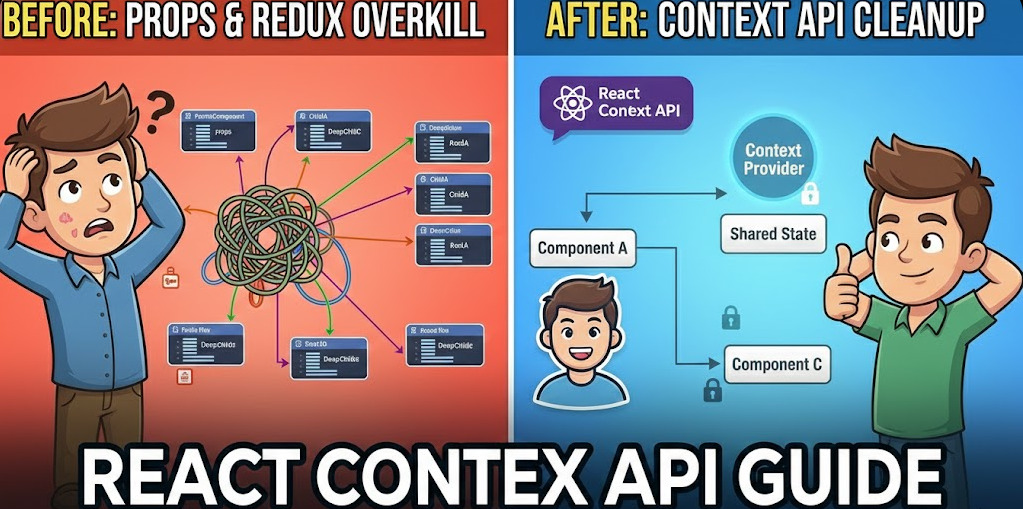
React’s Context API removes prop drilling and enables clean dependency injection—but it can also introduce hidden coupling and expensive re-renders when it becomes “global state by accident.” This article explains when to use context, how to optimize it, how to pair useContext with useReducer, and how Feature-Sliced Design helps keep context scoped, explicit, and scalable.
Context API is React’s built-in way to pass shared data through the component tree without prop drilling. Used thoughtfully, React context can model cross-cutting concerns like theming, authentication, and dependency injection; used carelessly, it becomes invisible global state with costly re-renders. This guide connects practical context api patterns with Feature-Sliced Design (feature-sliced.design) so your architecture stays modular, performant, and easy to scale.
Contents
- How the React Context API works: createContext, Provider, and useContext
- Prop drilling vs Context: what problem are you really solving?
- Where Context becomes an architectural foe: coupling and performance traps
- Making Context fast and predictable: scoped providers, memoization, and selectors
- useContext + useReducer: a powerful, testable state pattern
- Context API vs Redux (and modern stores): choosing the right tool
- Advanced Context patterns: theming, i18n, dependency injection, and feature flags
- Architectural comparison: why methodology matters more than the hook
- Bringing Context under control with Feature-Sliced Design
- A migration playbook: from “global context” to sliced, maintainable state
- Conclusion
How the React Context API works: createContext, Provider, and useContext
If you remember only one thing, make it this: Context is a transport, not a storage. The Context API moves a value from a Provider to any descendant consumer. It does not decide how state changes, when updates happen, or how to model business rules—that’s still on you.
Step-by-step: create, provide, and consume a context
Let’s build a tiny “current user” example. We’ll keep it intentionally small, then evolve it into safer architectural patterns.
Create a context with React.createContext<CurrentUser>(null), wrap the tree with <CurrentUserContext.Provider value={user}> (e.g. in app/providers), and consume in descendants with React.useContext(CurrentUserContext). That's the “happy path” tutorial most searches for react context and usecontext are aiming for. Now the architectural questions begin:
• Who owns this state?
• How do we avoid leaking “ambient” dependencies everywhere?
• What happens when the value updates frequently?
Two upgrades you should apply in real projects
Upgrade 1: a strict context + custom hook
createContext(null) is convenient, but it shifts failures to runtime. Many teams adopt a strict context helper that throws when a provider is missing. This turns a silent “null” into an immediate, actionable error.
A small utility wraps createContext(undefined) and a custom hook that throws if the value is undefined; export [CurrentUserContext, useCurrentUser] so consumers call useCurrentUser() instead of useContext(...). This creates a public API for the dependency, which is friendlier to refactoring and testing.
Upgrade 2: stabilize provider values
A key principle in software engineering is that referential stability reduces accidental work. If you provide an object { user, setUser } and recreate it every render, every consumer will re-render even if user didn’t change. The fix is usually useMemo and useCallback:
const value = React.useMemo(() => ({ user, setUser }), [user]);
return <Ctx.Provider value={value}>{children}</Ctx.Provider>;
Prop drilling vs Context: what problem are you really solving?
The prop drilling story is familiar: you pass theme through 6 layers, not because each layer needs it, but because one deeply nested component does. Context removes that plumbing.
But architecturally, the question is not “Context or not?” It’s:
- Is this data truly cross-cutting? (theme, locale, router, analytics client)
- Is the dependency stable or volatile? (changes rarely vs changes every keystroke)
- Do we want explicit wiring or ambient access?
A simple mental model: “wire” vs “air”
Think of props as wires: explicit, traceable connections. Context is more like air: available everywhere, but easy to forget it exists.
• Wires (props) improve debuggability and local reasoning.
• Air (context) improves ergonomics and composition.
Leading architects suggest choosing the mechanism that makes dependencies visible at the right boundary. In a small component, props are often the right boundary. At scale, you want a boundary at a module or layer level—this is where methodology matters.
When Context is a clear friend
Context shines when the provided value is:
• Infrastructure (logger, API client, feature flag service)
• UI environment (theme, design tokens, directionality)
• Session-like state (authenticated user, permissions)
• Integration glue (tracking, experimentation, error reporting)
These are dependencies, not domain state. Treating them as dependencies keeps cohesion high: components use them as tools, not as the source of truth for business rules.
When props are still better
Prefer prop passing when:
• Only one branch of the tree needs the value
• The value is part of a component’s public interface
• You want to keep the component portable across apps
• You’re building a reusable UI kit
Where Context becomes an architectural foe: coupling and performance traps
Context gets a bad reputation in large React applications because it can silently violate two fundamentals:
• Low coupling: modules shouldn’t depend on hidden global assumptions
• High cohesion: related logic should live together, not scattered across the tree
Trap 1: implicit dependencies and “spooky action at a distance”
If any component can call useContext(AppStateContext), then any component can depend on “the app.” That’s a dependency direction problem.
Symptoms you’ll recognize:
• Refactoring a context value breaks unrelated areas
• Tests become painful because every component needs a giant provider wrapper
• New developers don’t know where data comes from (onboarding slows down)
The architectural cost is implicit coupling. Context bypasses your module boundaries unless you intentionally restore them via a public API and clear ownership.
Trap 2: global state disguised as context
Context is often used as a DIY “global store”:
<AppStateProvider>
  <Everything />
</AppStateProvider>
This feels convenient, but it tends to produce:
• a “god object” context value
• unrelated state updates mixed together
• provider nesting (“provider hell”) when teams add more concerns
Trap 3: render cascades (why Context can be slow)
React’s Context API triggers updates based on value identity. When the provider’s value changes, all consumers of that context may re-render.
A concrete example helps:
• 200 components call useContext(AppContext)
• You update a counter in the provider 30 times per minute
• That is up to 6,000 consumer renders per minute (200 × 30)
Even worse: if your provider value is an object recreated each render, you can cause re-renders without any semantic change.
Diagram to visualize the blast radius
Imagine this dependency graph:
• AppProviders (top)
• AppContext.Provider (value changes)
• Page
• WidgetA → useContext(AppContext)
• WidgetB → useContext(AppContext)
• FeatureC → useContext(AppContext)
• … (dozens more)
One update at the top can ripple through an entire page, even when most components need only a tiny slice.
Making Context fast and predictable: scoped providers, memoization, and selectors
The good news: you can keep Context as a friend by applying a few disciplined patterns.
Pattern 1: keep context values small and stable
Instead of:
value = { user, permissions, theme, locale, cart, notifications, ... }
Prefer:
• one context per concern
• primitives when possible
• stable objects when necessary (useMemo)
This increases cohesion and reduces accidental updates.
Pattern 2: split “state” and “actions” into separate contexts
If you put { state, dispatch } into a single context, any state change re-renders consumers that only need dispatch.
Split them:
// shared/cart/cartStore.ts
const [CartStateContext, useCartState] = createStrictContext<CartState>("CartState");
const [CartDispatchContext, useCartDispatch] = createStrictContext<Dispatch>("CartDispatch");
Now components that only dispatch actions don’t re-render on every state update.
Pattern 3: keep updates local-first
A robust heuristic:
• Local UI state (open/closed, form inputs) stays in the component or feature
• Entity state (user, product, order) often lives in a dedicated store / cache
• App environment goes to Context
Pattern 4: context selectors (advanced)
If you need a “store-like” experience with Context, a selector pattern can reduce re-renders by only updating consumers when the selected slice changes.
Options include:
• selector utilities (community packages)
• “subscribe” + useSyncExternalStore for external state
• moving frequently changing state into a store (Redux Toolkit, Zustand, Jotai)
useContext + useReducer: a powerful, testable state pattern
One of the most useful patterns for mid-sized apps is combining useReducer (explicit state transitions) with Context (dependency injection of state + dispatch).
Why useReducer helps
A reducer creates:
• predictable transitions
• centralized invariants
• easier debugging (actions form an event log)
• a natural seam for unit tests
It also nudges you toward DDD-like thinking: “what happened?” rather than “what do I set?”.
Implementation: a feature-scoped store
Model a "cart" feature with a reducer (e.g. CartState, actions add / remove / setQty) and two strict contexts: CartStateContext and CartDispatchContext. Put useReducer(cartReducer, initialState) in a CartProvider that provides state in one provider and dispatch in another, so components that only dispatch don't re-render on state changes. Consumers use useCartState() and useCartDispatch() from the feature's public API (e.g. AddToCartButton dispatches { type: "add", sku }, CartSummary reads items and derives total). This pattern satisfies several architectural goals:
• explicit state transitions (reducer)
• isolated feature scope (provider placed where needed)
• testability (reducer is pure, providers are thin)
• controlled coupling (custom hooks define the public API)
Context API vs Redux (and modern stores): choosing the right tool
Context is not “bad”; it’s just easy to misuse. The right question is: what are you optimizing for? Update frequency? Debuggability? Team scaling? Ecosystem?
| Approach | Strengths | Trade-offs |
|---|---|---|
| Prop drilling | Explicit dependencies, great local reasoning, no extra abstractions | Boilerplate through deep trees, awkward for cross-cutting concerns |
| Context API | Eliminates prop drilling, great for stable shared dependencies, built-in React primitive | Can hide coupling, consumer re-renders on value changes, “global state by accident” |
| Redux Toolkit (global store) | Predictable updates, devtools/time-travel, clear conventions for shared domain state | Extra concepts/boilerplate, risk of over-centralization if mis-scoped |
| Zustand/Jotai-like stores | Simple APIs, selective subscriptions, good performance for frequent updates | Less standardized conventions, architecture depends on team discipline |
| Server-state cache (React Query, etc.) | Excellent for async data, caching, invalidation, request deduplication | Not a general UI state tool; still need local state patterns |
A decision checklist you can apply in minutes
Use Context API when most answers are “yes”:
- Is this value a dependency (theme, locale, services, auth session) rather than business state?
- Does it change relatively rarely?
- Do you want consumers to be agnostic of where the value comes from?
- Can you scope the provider to a subtree (not the entire app)?
- Can you expose it through a small, stable public API (custom hooks)?
Use a store (Redux, Zustand, etc.) when:
• many components need the data and it updates often
• you need fine-grained subscriptions / selectors
• you want strong debugging tooling and consistent patterns across teams
• you need to coordinate complex workflows
Advanced Context patterns: theming, i18n, dependency injection, and feature flags
Once you treat context as “dependency injection for React,” advanced patterns become clearer and safer.
Theming and design tokens
Theme context works because it’s:
• mostly stable (changes on user toggle, not every keystroke)
• cross-cutting (many components read it)
• conceptually environmental
A robust approach is to provide design tokens rather than raw colors:
type Tokens = { spacing: { s: number; m: number }; typography: { body: string } };
This creates a stable contract that avoids ad-hoc styling dependencies.
i18n and formatting services
Instead of sprinkling formatDate(locale, ...) everywhere, inject a formatter:
type I18n = { t: (key: string) => string; formatDate: (d: Date) => string };
This reduces duplication and enables easy testing by swapping a mock i18n provider.
Dependency injection for infrastructure (API clients, analytics, logger)
This is where Context is often at its best.
type Services = {
  api: { get: (url: string) => Promise<any> };
  analytics: { track: (event: string, payload?: unknown) => void };
  logger: { info: (msg: string) => void; error: (e: unknown) => void };
};
In tests, provide a fake Services object. In production, provide real implementations. This is classic inversion of control via a React-friendly container.
Feature flags and experimentation
Feature flags are cross-cutting. Context can provide:
• flag values (boolean gates)
• experiment variants
• rollout metadata for analytics
The key is to keep the shape stable and avoid mixing flags with unrelated state.
Architectural comparison: why methodology matters more than the hook
If Context is a transport, the bigger scaling question is where you place providers and how you structure modules. This is where architecture methodologies differ.
| Methodology | Organizing principle | Typical scaling pitfall |
|---|---|---|
| MVC/MVP | Layers by technical role (model/view/controller/presenter) | Frontend domain leaks across layers; UI composition can become rigid |
| Atomic Design | UI components by visual granularity (atoms → pages) | Business logic ends up “somewhere”; feature ownership can be unclear |
| Domain-Driven Design | Modules by domain boundaries and ubiquitous language | Needs careful mapping to UI composition; can be heavy without conventions |
| Feature-Sliced Design (FSD) | Slices by user value + layers by responsibility | Requires discipline in public APIs and dependency rules, pays off at scale |
As demonstrated by projects using FSD, consistent boundaries reduce cognitive load: teams know where code goes, what can import what, and where cross-cutting concerns live.
Bringing Context under control with Feature-Sliced Design
Feature-Sliced Design helps Context stay a friend by enforcing explicit boundaries, encapsulation, and a predictable composition root.
The core idea: Context belongs to a layer, not “the whole app”
In FSD, your project is typically organized into layers like:
• app – app initialization, routing, providers (composition root)
• pages – route-level composition
• widgets – large UI blocks
• features – user-facing interactions (add to cart, login)
• entities – domain objects (user, product)
• shared – reusable UI, libs, API clients
A practical placement rule:
• Providers live in app/providers (wiring)
• Context definitions live next to the concern (shared for infrastructure, features for feature-scoped state)
• Consumers import from the slice’s public API, not deep internal files
A concrete directory example
src/ app/ providers/ index.tsx withTheme.tsx withServices.tsx shared/ lib/ react/ createStrictContext.ts api/ client.ts config/ env.ts features/ cart/ model/ cartReducer.ts cartContext.ts ui/ AddToCartButton.tsx index.ts widgets/ cart/ ui/ CartSummary.tsx
Notice the separation:
• app/providers is the composition root (where providers are assembled)
• features/cart owns its reducer and contexts (high cohesion)
• widgets/cart consumes through public hooks (controlled coupling)
Provider composition without chaos
A single place to compose providers keeps wiring centralized:
// app/providers/index.tsx
import { ThemeProvider } from "./withTheme";
import { ServicesProvider } from "./withServices";

export function AppProviders({ children }: { children: React.ReactNode }) {
  return (
    <ServicesProvider>
      <ThemeProvider>
        {children}
      </ThemeProvider>
    </ServicesProvider>
  );
}
Restoring explicitness: public APIs and dependency rules
Context feels implicit because consumers don’t show dependencies in their props. FSD mitigates this by making dependencies explicit at the module boundary:
• each slice exports a public API (index.ts)
• other layers import only from that public API
• dependency direction is controlled (e.g., features can use entities, but not vice versa)
In practice, this means consumers do:
import { useCartState } from "@/features/cart";
not:
import { CartStateContext } from "@/features/cart/model/cartContext";
This keeps refactors safe: you can replace Context with a store later without rewriting the entire codebase.
A migration playbook: from “global context” to sliced, maintainable state
If you already have a large AppContext, you can migrate incrementally.
Step 1: audit your context contents
Group fields into buckets:
• environment (theme, locale, services)
• session (auth user, permissions)
• feature state (cart, filters, modals)
• derived selectors (computed values)
Step 2: split by update frequency
A rare but valuable attribute for architecture is temporal cohesion: values that change together should live together.
• stable config (theme, services) → Context
• frequently changing UI state (typing, toggles) → local state
• shared, frequent domain state (cart quantities, realtime lists) → store with selectors
Step 3: introduce slice-level providers
Move feature state closer to where it’s used:
• CartProvider wraps only pages/widgets that need cart behavior
• FiltersProvider wraps only the catalog page subtree
This reduces re-render impact and improves ownership.
Step 4: create a public API and deprecate direct context access
Export hooks and types from features/cart/index.ts:
export { CartProvider, useCartState, useCartDispatch } from "./model/cartContext";
Then gradually replace useContext(AppContext) calls with slice hooks. This is safer than a “big bang” migration.
Step 5: verify improvements with profiling
Don’t guess. Use React DevTools Profiler:
• compare commit times before/after splitting contexts
• identify hot consumers re-rendering too often
• validate that memoization is effective at boundaries
Conclusion
React’s Context API is a reliable primitive for sharing stable dependencies across a tree and eliminating prop drilling. It becomes especially practical when paired with patterns like strict contexts, value memoization, and the useReducer + useContext combination for cohesive feature state. The problems start when Context becomes a catch-all global store: coupling turns implicit, refactors get risky, and updates can trigger wide re-render cascades.
A structured architecture is the difference between “Context everywhere” and “Context with intent.” Feature-Sliced Design reinforces ownership, modularity, and clear public APIs, which is a long-term investment in code quality and team productivity—especially as teams and product scope grow.
Ready to build scalable and maintainable frontend projects? Dive into the official Feature-Sliced Design Documentation to get started.
Have questions or want to share your experience? Visit our homepage to learn more!