The Next Frontier: Progressive Hydration

TLDR:
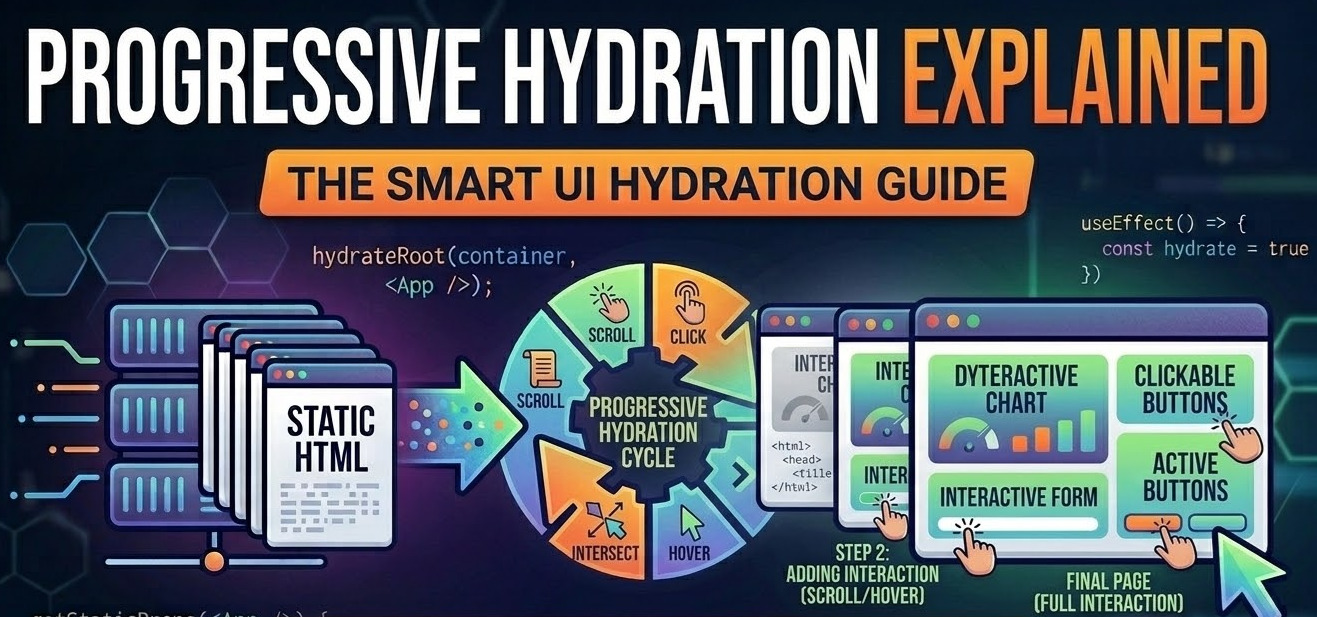
Progressive hydration helps modern frontend teams prioritize critical interactivity instead of hydrating an entire page at once. This article explains how streaming SSR, React Server Components, and Feature-Sliced Design work together to improve responsiveness, reduce unnecessary client-side work, and keep large applications maintainable.
Progressive hydration addresses a familiar frontend problem: a page can render quickly with SSR yet still feel slow because the browser must hydrate too much JavaScript before critical interactions respond. Combined with streaming SSR, React Server Components, and a modular architecture like Feature-Sliced Design, it helps teams deliver server-rendered HTML sooner, prioritize interactivity intelligently, and keep large codebases maintainable.
Why progressive hydration matters when SSR is not enough
Server-side rendering solved an important part of frontend performance, but it never solved the entire startup path.
SSR can improve first paint, content visibility, crawlability, and the initial perceived load. That matters for product pages, dashboards, landing pages, and search-driven experiences. But once the HTML arrives, the browser still has work to do. It must download client bundles, parse them, execute them, recreate component state where needed, and attach event handlers. Until that process completes, a page can look finished while remaining partially inert.
That is the heart of the problem. Teams often celebrate a fast visual render, then wonder why navigation menus lag, filters ignore the first click, or a checkout button feels unresponsive during startup. The user sees a fully rendered interface, but the main thread is still busy.
A key principle in software engineering is that optimization should follow actual bottlenecks, not assumptions. In modern SSR applications, one of the biggest bottlenecks is no longer just rendering markup. It is hydration cost:
- too much client JavaScript
- too many components needing client state
- large top-level providers
- hidden cross-module dependencies
- poor separation between static content and interactive logic
Standard hydration treats most of the rendered tree as if it deserved equal priority. That assumption breaks down in real applications.
A commerce page does not need the reviews carousel to become interactive before the Add to cart button. A dashboard does not need every analytics widget hydrated before the date range control works. A documentation page does not need every code playground booted before the table of contents responds.
Progressive hydration changes the model. Instead of asking, “When does the entire page become interactive?”, it asks:
- Which UI parts matter first?
- Which parts can wait?
- Which parts never need hydration at all?
- Which architectural boundaries let us defer work safely?
That last question is where Feature-Sliced Design becomes highly relevant. Performance strategies are easier to sustain when the codebase has clear ownership, low coupling, strong cohesion, explicit public APIs, and isolated business slices.
What progressive hydration actually means
Progressive hydration is a strategy in which a server-rendered page becomes interactive in stages rather than in one monolithic client-side activation pass.
The page still renders on the server. The browser still receives HTML. But instead of hydrating the entire component tree immediately and uniformly, the runtime prioritizes important regions and defers less important ones.
In practical terms, progressive hydration usually involves some combination of:
- streaming HTML so content can appear as soon as it is ready
- selective hydration so independent regions activate separately
- Suspense boundaries or route boundaries that define loading and reveal points
- client/server component separation so static regions stay server-only
- visibility-based or intent-based hydration so secondary widgets load later
- bundle splitting so hydration units map to meaningful chunks of JavaScript
A useful mental model is this:
Server first, interactivity second, priority always.
That sounds simple, but it has a very concrete implication: not every rendered component should be treated as an equal hydration candidate.
A whiteboard diagram worth remembering
When explaining progressive hydration to a team, this is the diagram many architects draw first:
Request
  ↓
Server renders shell + critical content
  ↓
HTML starts streaming to browser
  ↓
Browser paints meaningful UI early
  ↓
Critical interactive regions hydrate first
  ↓
Secondary regions hydrate on data, visibility, idle time, or user intent
This diagram highlights an important shift. Progressive hydration is not only a rendering optimization. It is a scheduling model for interactivity.
What counts as “critical” in practice
Critical regions vary by product, but the pattern is consistent:
-
High priority
- navigation
- authentication controls
- search input
- primary CTA
- checkout actions
- form submission controls
-
Medium priority
- tabs
- sortable tables
- filters
- comments
- reviews
- recommendation blocks
-
Low priority
- chat launchers
- social embeds
- personalization sidebars
- advanced settings panels
- below-the-fold carousels
-
No hydration
- static hero copy
- article text
- product specifications
- legal content
- decorative layout sections
A mature frontend team does not decide this accidentally. It should be treated as a product and architecture concern, not just a framework trick.
Progressive hydration vs standard hydration, partial hydration, and resumability
These terms are closely related, but they solve slightly different problems.
| Approach | What becomes interactive | Main trade-off |
|---|---|---|
| Standard hydration | Most or all of the rendered app hydrates as one client tree | Simple mental model, but expensive startup on large routes |
| Progressive hydration | The same SSR tree hydrates in stages based on priority | Better responsiveness, but boundary design becomes more important |
| Partial hydration / islands | Only selected islands ship client code at all | Excellent for content-heavy pages, but coordination between islands can become complex |
| Resumability | The runtime resumes from serialized server state instead of replaying hydration work | Very fast startup potential, but it requires a different framework model |
Standard hydration
Standard hydration is the default mental model many React teams still carry. The server renders HTML, the browser downloads JavaScript, and the client reattaches behavior to the rendered output.
This approach is perfectly reasonable for smaller applications. It keeps the runtime story simple. But as route complexity grows, the cost becomes visible:
- larger boot time
- more blocking JavaScript
- longer main-thread work
- weaker startup responsiveness
- broader impact from a single shared provider or global store
Progressive hydration
Progressive hydration keeps SSR, but changes activation order. It treats the page as a set of independently valuable regions.
This is especially useful when:
- the route has mixed criticality
- some regions depend on slow data
- the page contains several independent widgets
- the product cares about early interaction more than perfect simultaneity
Partial hydration and islands architecture
Partial hydration pushes the idea further. Instead of hydrating a single tree selectively, it renders mostly static HTML and hydrates only the dynamic islands.
This model is powerful for media sites, marketing pages, and documentation platforms. If only a search widget, theme switcher, and newsletter form need JavaScript, shipping a full application runtime to hydrate everything is wasteful.
Resumability
Resumability tries to avoid hydration replay almost entirely. The browser continues from serialized server state rather than reconstructing work eagerly.
This is an important direction in frontend architecture because it questions an assumption many frameworks made for years: that re-executing the application on the client is normal startup behavior.
The practical takeaway
These are not mutually exclusive ideas in spirit. They all aim to reduce startup waste. But the choice depends on product shape:
- choose standard hydration when the app is small and startup cost is acceptable
- choose progressive hydration when the route contains multiple interactive regions with different business priorities
- choose partial hydration when most of the page is static
- evaluate resumability when startup latency dominates and a new runtime model is acceptable
How React Server Components and streaming SSR move the frontier
The biggest reason this topic feels urgent today is that React’s rendering model has evolved.
With React Server Components, part of the component tree can remain on the server and never become client-side hydration work in the first place. That is a profound shift. The best client JavaScript is often the JavaScript you never ship.
This changes architecture at three levels:
-
Composition
Data-heavy composition can live on the server. -
Interactivity boundaries
Only components that need state, event handlers, effects, or browser APIs must be client components. -
Hydration surface area
Smaller client surfaces make selective or progressive hydration much more effective.
A common pattern in a modern React application looks like this:
// pages/product/ui/page.tsx — Server Component
import { Suspense } from "react";
import { ProductHero } from "@/widgets/product-hero";
import { ProductSpecs } from "@/entities/product";
import { AddToCartButton } from "@/features/add-to-cart";
import { Reviews } from "@/widgets/reviews";

export default async function ProductPage({ params }) {
  const product = await productApi.getById(params.id);

  return (
    <>
      <ProductHero product={product} />
      <ProductSpecs product={product} />

      <AddToCartButton productId={product.id} />

      <Suspense fallback={<Reviews.Skeleton />}>
        <Reviews productId={product.id} />
      </Suspense>
    </>
  );
}
// features/add-to-cart/ui/add-to-cart-button.tsx — Client Component
"use client";

import { useAddToCart } from "../model/use-add-to-cart";

export function AddToCartButton({ productId }: { productId: string }) {
  const { add, pending } = useAddToCart();

  return (
    <button disabled={pending} onClick={() => add(productId)}>
      {pending ? "Adding..." : "Add to cart"}
    </button>
  );
}
This structure reveals the real value of streaming SSR and React Server Components:
- the hero and specs can stay server-rendered
- the critical action hydrates early
- slower regions can stream behind a fallback
- the browser avoids hydrating content that never needed client behavior
That is already a form of progressive hydration, even if a framework does not always market it with that exact term.
Why streaming SSR matters
Without streaming, the browser often waits for the slowest region before it gets meaningful HTML. With streaming SSR, independently ready sections can appear earlier.
This has two important benefits:
- the user sees useful content sooner
- the page can begin interactive activation region by region instead of waiting for one large completion point
For architects, streaming also exposes structural mistakes quickly. If one widget blocks the whole route, that widget probably owns too much. If moving one provider turns an entire page into a client component, the boundary is probably too high. Streaming SSR makes architectural coupling visible.
An illustrative route budget
The numbers below are illustrative, not universal benchmarks. They show why prioritization matters more than absolute simultaneity.
| Route strategy | JavaScript needed before first useful interaction | Perceived result |
|---|---|---|
| Full hydration of entire route | High | Page looks ready, but first interactions can lag |
| Progressive hydration with server-heavy shell | Medium | Critical controls become responsive much sooner |
| Server-first route with minimal client islands | Low | Strong startup responsiveness and lower main-thread pressure |
The lesson is straightforward: progressive hydration works best when client JavaScript is scarce and intentional.
The technical complexity teams underestimate
Progressive hydration is powerful, but it is not a free upgrade. The complexity is real.
1. Server and client must agree
Hydration depends on consistent output. If the server renders one structure and the client expects another, the result can be warnings, re-renders, flicker, or broken interaction.
Typical causes include:
- non-deterministic rendering
- browser-only logic executed too early
- time- or locale-dependent values rendered differently
- unstable IDs
- hidden side effects in render paths
2. Boundaries are easy to draw badly
Suspense boundaries, route segments, and client component boundaries should map to meaningful, independent UI regions. When boundaries are too high, they pull in too much code. When they are too fine-grained, the page becomes fragmented and hard to reason about.
A good hydration boundary has these properties:
- clear ownership
- independent loading behavior
- limited shared state
- understandable fallback UI
- a business reason to exist
3. Global state can destroy selectivity
Many applications say they want progressive hydration, but keep a large top-level client store that everything depends on. That turns several seemingly separate widgets into one implicit hydration unit.
For example:
- filter panel
- results grid
- comparison drawer
- sorting toolbar
- recommendations
If all five require the same giant provider at the top of the page, they may render separately, but they do not hydrate independently in a meaningful way.
4. Third-party scripts often erase the gains
A route can be beautifully structured and still perform poorly because of:
- analytics SDKs
- chat providers
- experimentation scripts
- personalization engines
- ad tooling
- heatmaps
A robust architecture isolates product logic, but operational discipline must isolate external runtime cost as well.
5. Debugging becomes cross-layer work
In traditional CSR applications, debugging often stays in the browser. In progressive hydration flows, issues may involve:
- server composition
- network waterfalls
- bundle boundaries
- streaming order
- Suspense fallback timing
- client activation order
- caching and revalidation behavior
That is why teams need an architectural model, not just framework features. Performance work becomes easier when ownership is obvious.
Why architecture determines whether progressive hydration scales
Progressive hydration is often presented as a framework capability. In real systems, it behaves more like an architectural competency.
A key principle in software engineering is that performance optimizations survive only when they align with module boundaries. If the codebase is tangled, every hydration boundary becomes fragile.
This is where common architectural approaches differ.
| Approach | What it organizes well | Common limitation in hydration-heavy apps |
|---|---|---|
| MVC / MVP | Presentation flow and role separation | Often weak on feature ownership and modern client/server boundaries |
| Atomic Design | UI primitives and visual composition | Strong for design systems, weaker for business isolation and runtime boundaries |
| Domain-Driven Design | Business language and domain modeling | Strong conceptual model, but needs frontend-specific packaging rules |
| Feature-Sliced Design | Business slices, layers, public APIs, controlled reuse | Requires discipline, but maps well to independent rendering and hydration units |
MVC and MVP
MVC and MVP remain valuable historically. They teach separation of concerns and discourage UI code from owning too much business logic. But they do not naturally answer questions like:
- which part of this route should stay server-only?
- which interactive unit deserves its own hydration boundary?
- which modules can be delayed without breaking the rest of the page?
Atomic Design
Atomic Design is excellent for design systems. It helps teams reason about buttons, inputs, cards, sections, and page templates. But progressive hydration is rarely blocked by missing visual taxonomy. It is usually blocked by unclear business ownership, oversized providers, and uncontrolled imports.
Domain-Driven Design
DDD contributes an important insight: model software around business meaning. That matters here because hydration priority should reflect product priority. Search, checkout, login, and content editing are business capabilities, not just UI fragments.
Why Feature-Sliced Design fits this problem well
Feature-Sliced Design is a strong contender because it gives frontend teams a practical, business-oriented structure for large systems:
- layers express dependency direction
- slices group code by business or product meaning
- segments separate concerns inside a slice
- public APIs control access to internals
- isolation supports safer refactoring
- low coupling and high cohesion improve maintainability
For progressive hydration, those qualities are not cosmetic. They determine whether a team can split rendering work safely.
A widget that depends on five unrelated internals is not a good hydration unit. A feature with a clear public API, limited dependencies, and self-contained model logic is.
Leading architects suggest treating boundaries as first-class design elements. FSD makes that principle concrete in frontend codebases.
Designing hydration boundaries with Feature-Sliced Design
Feature-Sliced Design does not replace rendering tools like Suspense, streaming SSR, or React Server Components. Instead, it gives those tools a stable place to live.
A pragmatic FSD structure for a route might look like this:
src/
  app/
    providers/
    routing/
    entrypoint/
  pages/
    product/
      ui/
        page.tsx
  widgets/
    product-hero/
      ui/
      index.ts
    reviews/
      ui/
      model/
      api/
      index.ts
    recommendation-rail/
      ui/
      model/
      api/
      index.ts
  features/
    add-to-cart/
      ui/
      model/
      api/
      index.ts
    product-filters/
      ui/
      model/
      index.ts
    toggle-favorite/
      ui/
      model/
      index.ts
  entities/
    product/
      ui/
      model/
      api/
      index.ts
    review/
      ui/
      model/
      api/
      index.ts
  shared/
    ui/
    lib/
    api/
    config/
This structure is useful because each layer answers a different architectural question:
-
app
global providers, application bootstrap, routing, and integration points -
pages
route-level composition and orchestration -
widgets
large, self-sufficient UI blocks that often make excellent streaming or delayed hydration candidates -
features
user actions and business interactions such as add-to-cart, login, filtering, or toggling favorites -
entities
reusable domain models like product, review, user, or order -
shared
low-level UI primitives and utilities that should not own business behavior
Why this maps well to progressive hydration
A route-level composition in FSD tends to look like this:
- pages decide what the route contains
- widgets define meaningful UI regions
- features own the interactive behavior inside those regions
- entities provide domain contracts
- shared supplies neutral building blocks
That is almost exactly what progressive hydration needs. The rendering strategy becomes easier to define because the ownership model already exists.
Public APIs reduce accidental coupling
A slice should expose what the rest of the application is allowed to use.
// features/add-to-cart/index.ts
export { AddToCartButton } from "./ui/add-to-cart-button";
export { useAddToCart } from "./model/use-add-to-cart";
export type { AddToCartPayload } from "./model/types";
// pages/product/ui/page.tsx
import { AddToCartButton } from "@/features/add-to-cart";
import { Reviews } from "@/widgets/reviews";
import { ProductHero } from "@/widgets/product-hero";
This helps in several ways:
- internals remain replaceable
- bundle boundaries stay clearer
- refactoring is safer
- delayed hydration does not require rewriting every consumer
- pages compose features without knowing their implementation details
A route-level hydration budget with FSD
One practical technique is to attach a hydration budget to the route during design review.
| Priority | Example FSD placement | Typical rule |
|---|---|---|
| Immediate | features/add-to-cart, features/search | Hydrate as soon as code is ready |
| On reveal | widgets/reviews, widgets/recommendation-rail | Hydrate when content becomes visible or arrives |
| On intent | features/share, features/advanced-filters | Hydrate only after explicit interaction |
This budget gives teams a shared language. It also turns performance into something reviewable in pull requests rather than something discovered too late in production.
Why cross-imports are especially dangerous here
When slices reach into each other’s internals, several problems follow:
- hidden runtime dependencies
- weaker isolation
- harder testing
- fragile bundling
- larger hydration surface
- more difficult migration to server/client boundaries
As demonstrated by projects using FSD, teams benefit when composition happens at upper layers and slices expose explicit public APIs. That is not only cleaner architecture. It is exactly what makes selective and progressive hydration operationally realistic.
A pragmatic rollout plan for existing frontend teams
Most teams do not have the luxury of starting from scratch. The good news is that neither progressive hydration nor FSD requires a big-bang rewrite.
A practical migration path looks like this.
1. Measure the startup path
Start with route-level observation, not architectural ideology.
Track:
- JavaScript transferred on first load
- long tasks on startup
- first meaningful interaction delay
- which widgets block the route
- which providers force broad client execution
2. Identify the first-click features
For each important route, ask:
- What must respond immediately?
- What can tolerate delay?
- What can stay server-only?
This creates a real priority map instead of a vague performance goal.
3. Push client boundaries downward
Avoid turning entire layouts into client components when only one nested feature needs browser APIs. Keep client islands deep and narrow.
A smaller client surface makes all later improvements easier.
4. Refactor by business slice
Instead of organizing by file type only, create slices that reflect product meaning:
features/login-by-emailfeatures/add-to-cartfeatures/toggle-favoritewidgets/reviewsentities/product
This is often the turning point where architecture starts supporting performance instead of resisting it.
5. Introduce public APIs early
Do not wait for perfect structure. Even a small index.ts public API per slice can immediately reduce deep imports and clarify ownership.
6. Add Suspense and streaming where independence is real
Do not place boundaries randomly. A boundary should correspond to a unit that can load, fail, and reveal independently without confusing the user.
7. Remove false independence
If two widgets appear separate but depend on the same global store, giant provider, or cross-import chain, they are not truly independent yet. Fix the ownership first.
8. Review hydration as part of architecture
This is the long-term habit that matters most.
When reviewing new routes or features, ask:
- does this need to be a client component?
- can this widget stay server-rendered?
- is this feature isolated enough to hydrate independently?
- is the public API explicit?
- is there unnecessary coupling to another slice?
That review discipline is where Feature-Sliced Design becomes a long-term investment rather than just a folder convention.
Conclusion
Progressive hydration matters because modern users do not care that a page has rendered if the important controls still feel delayed. The goal is not to hydrate everything as fast as possible. The goal is to make the right parts interactive first, keep static regions on the server when possible, and avoid shipping JavaScript that adds startup cost without adding immediate value.
That is why React Server Components, streaming SSR, and Feature-Sliced Design complement each other so well. Server components reduce the hydration surface. Streaming SSR reveals content sooner. FSD gives teams the boundaries, isolation, public APIs, and business-oriented structure needed to sustain these optimizations in real-world codebases.
Adopting a structured architecture like FSD is a long-term investment in code quality, team productivity, and safer performance work. It helps large frontend systems evolve without collapsing into hidden coupling and hydration-heavy monoliths.
Ready to build scalable and maintainable frontend projects? Dive into the official Feature-Sliced Design Documentation to get started.
Have questions or want to share your experience? Visit the Feature-Sliced Design homepage to join the community.