Stop Arguing: The Perfect ESLint + Prettier Setup

TLDR:
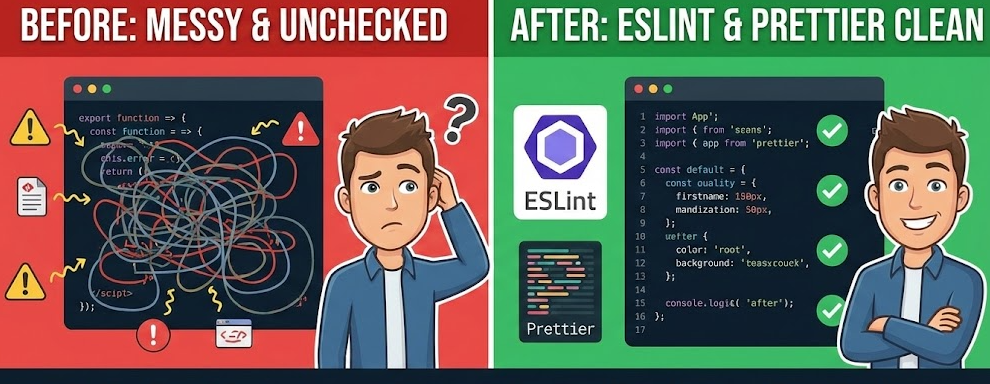
Linting isn’t a style debate—it’s static analysis plus deterministic formatting. This guide shows a clean ESLint/Prettier split, a modern setup for TypeScript and React, and high-ROI rules that protect boundaries (including Feature-Sliced Design public APIs) so large teams stay consistent without slowing down.
Frontend linting is the fastest way to end code style arguments and ship fewer bugs—but only if you stop forcing ESLint and Prettier to do the same job. In Feature-Sliced Design (FSD) on feature-sliced.design, linting becomes more than aesthetics: it guards modular boundaries, public APIs, and team-scale consistency. This guide gives you a modern, architecture-aware setup that stays fast, predictable, and maintainable.
What frontend linting is and why it pays back immediately
Linting is static analysis for source code: it parses your files into an AST (abstract syntax tree) and checks that tree against a set of rules. Unlike tests, it doesn’t execute code. Unlike TypeScript, it’s not limited to type constraints. It’s a fast, always-on safety net that catches issues while you still have the context to fix them.
Static analysis vs type checking vs tests
A key principle in software engineering is to shift feedback left: the earlier you detect defects, the cheaper they are to fix. Linting shines because it runs in milliseconds and surfaces problems directly where developers work (editor and CI).
- ESLint is best at correctness, maintainability, and consistency rules: unused variables, unsafe patterns, accidental complexity, broken import boundaries, and code smells.
- TypeScript is best at type safety and contract clarity: mismatched types, invalid property access, narrowing issues, and many API misuse cases.
- Tests validate runtime behavior: business rules, integration between modules, regressions, and edge cases.
The “perfect” setup doesn’t replace any of these. It orchestrates them so each tool does what it’s uniquely good at.
The hidden cost of style debates (a tiny cost model)
Most teams underestimate how expensive “minor” formatting disagreements are.
Assume:
- Your team merges 20 PRs/day.
- Each PR triggers 3 minutes of back-and-forth about formatting (imports, quotes, line breaks, commas).
- That’s 60 minutes/day of attention burned on non-functional work—roughly 12 hours/month.
And that’s the best case, where the debate stays polite and doesn’t derail architectural discussions. Prettier eliminates the debate by making formatting deterministic. ESLint eliminates the debate by turning standards into executable rules.
What “good” linting outcomes look like
A healthy frontend linting system produces these outcomes:
- Low noise in the editor (few false positives, rules are stable).
- Consistent diffs (formatting doesn’t churn unrelated lines).
- Fast feedback loops (lint + format is quick enough to run on save or pre-commit).
- Architecture protection (boundaries and public APIs are enforced, not hoped for).
- Team onboarding becomes simpler (a new dev learns rules by seeing them enforced).
If you’re not getting these, the usual culprit is responsibility confusion: ESLint and Prettier both trying to control code style.
ESLint vs Prettier: a responsibility split that eliminates conflicts
If you want to stop arguing, you need a clear division of labor. ESLint is a rule engine for code quality. Prettier is a code formatter. ESLint can format, and Prettier can be run as a lint rule—but that's exactly where most teams get into trouble.
| Concern | ESLint should own it | Prettier should own it |
|---|---|---|
| Correctness & bugs | ✅ no-undef, no-unused-vars, React hooks rules, unsafe patterns | ❌ not its job |
| Maintainability | ✅ complexity checks, explicit boundaries, import restrictions | ❌ not its job |
| Code style preferences | ⚠️ only when style encodes meaning (e.g., consistent imports for boundaries) | ✅ whitespace, line wrapping, quotes, trailing commas |
| Formatting output | ❌ avoid (conflicts + churn) | ✅ deterministic formatting |
Prettier's docs explicitly call out why running Prettier "as a linter rule" tends to be annoying (more red squiggles, slower, extra indirection) and why modern workflows can run prettier --check directly.
So the setup you want is:
- Prettier formats (auto-fixes formatting).
- ESLint lints (finds and fixes quality issues).
- eslint-config-prettier acts as a peace treaty by disabling ESLint rules that conflict with Prettier.
That single idea eliminates 80% of “ESLint + Prettier setup” pain.
Architecture-aware linting: why scalable teams lint boundaries, not just whitespace
Linting becomes truly “enterprise-ready” when it reinforces modularity—not just code style. In large systems, the real costs come from accidental coupling, poor cohesion, and violating public APIs. ESLint can help you enforce architectural constraints automatically, turning best practices into guardrails.
Why architecture rules matter more as the codebase grows
As demonstrated by projects using FSD, predictable boundaries reduce refactoring risk and speed up onboarding because developers can reason about where code belongs and what it can depend on. A linter can enforce:
- Cohesion: code in a module/slice stays focused on a single purpose.
- Coupling control: modules depend only on allowed layers or interfaces.
- Public API discipline: consumers import from stable entry points, not internals.
FSD frames this explicitly with the concept of a public API: a contract that acts as a gate, exposing only what should be depended upon and protecting internals from structural churn.
How common organizational paradigms shape linting needs
Different frontend architectures create different failure modes. This matters because your lint rules should mitigate the most likely failure modes of your structure—not blindly copy a style guide.
| Paradigm | How code is organized | Common linting pain points (and what to enforce) |
|---|---|---|
| MVC / MVP | by technical role (views, controllers/presenters, models) | boundary drift; “god” controllers; import sprawl; enforce layering + complexity limits |
| Atomic Design | by UI composition level (atoms → pages) | business logic leaking into UI layers; unclear ownership; enforce “logic not in UI primitives” |
| Domain-Driven Design | by domain boundaries (bounded contexts, aggregates) | boundary erosion; shared “utils” becoming a dumping ground; enforce explicit module boundaries |
| Feature-Sliced Design | by product slices and layers (features/entities/shared) | cross-import shortcuts; bypassing public APIs; enforce layers, slices, and public API imports |
The takeaway: “perfect” linting is contextual. The best setup is the one that fits your architecture and keeps rule noise low.
The workflow diagram you want (describe it, then implement it)
Picture this simple pipeline:
- Editor (on save) runs Prettier formatting and ESLint quick fixes.
- Pre-commit (lint-staged) re-checks only changed files for speed.
- CI runs the full suite: lint, format check, type check, tests.
- Architecture rules run in ESLint and fail fast when boundaries are violated.
This design keeps local feedback tight while preserving a strict gate in CI.
The perfect setup, step by step (modern ESLint flat config + Prettier, with TypeScript and React)
This section is intentionally practical. Copy the pieces you need, then customize incrementally. The goal is a setup that is:
- stable (few surprises),
- fast (usable on save and in CI),
- explicit (architecture rules are readable),
- scalable (works for monorepos and multiple apps).
Step 0: Make sure you’re on a supported Node version
Modern ESLint releases have Node version requirements (and editor integrations can lag behind your terminal Node). ESLint v9+ requires a minimum supported Node version range (for example, Node 18.18+ is called out in the v9 migration guide).
If you have inconsistent behavior between CLI and editor, check the Node version used by your editor first.
Step 1: Install ESLint for modern projects (flat config)
Flat config is the default in ESLint v9, and the legacy .eslintrc* format is considered deprecated and not automatically searched for by default.
For TypeScript projects, the fastest path is the typescript-eslint quickstart:
npm install --save-dev eslint @eslint/js typescript typescript-eslint
This is directly aligned with the typescript-eslint getting started guide for flat config.
Step 2: Create eslint.config.mjs with recommended rules
Start from a minimal base that is easy to reason about. The typescript-eslint guide shows a clean baseline using defineConfig, @eslint/js, and typescript-eslint configs.
// eslint.config.mjs
import eslint from "@eslint/js";
import { defineConfig } from "eslint/config";
import tseslint from "typescript-eslint";

export default defineConfig(
  eslint.configs.recommended,
  tseslint.configs.recommended,
);
This gives you a solid “correctness-first” baseline. From here, you can selectively add stricter rules as your team matures.
Recommended progression (don’t do it all at once):
recommended(baseline correctness)strict(more bug-catching)stylistic(only if you’re not relying entirely on Prettier for style)
typescript-eslint explicitly suggests considering strict and stylistic configs as add-ons.
Step 3: Add React rules (and keep them focused)
React projects usually benefit from:
- React Hooks rules (correctness)
- JSX accessibility rules (product quality)
- Component patterns (team consistency)
A pragmatic approach is to add only the rules that provide high signal:
- hooks correctness (
rules-of-hooks,exhaustive-deps) - avoiding common footguns (stale dependencies, conditional hooks)
- optional accessibility checks if your product requires it
Keep “style guide” rules out unless they encode architectural intent. Prettier owns formatting.
Step 4: Add import hygiene (this is where architecture begins)
Imports are the bloodstream of your architecture. If you want to control coupling, you must control imports.
Two high-leverage strategies:
-
Import sorting/grouping (readability + diff stability)
Keep it minimal. If it starts to fight Prettier, you’re doing too much. -
Import restrictions (architecture enforcement)
Use restrictions to block “shortcut” dependencies that violate layering.
ESLint's no-restricted-imports is built for this: it lets you disallow modules or patterns you don't want used in your app.
Step 5: Add scripts that make the workflow obvious
A good setup is easy to use correctly:
{
  "scripts": {
    "lint": "eslint .",
    "lint:fix": "eslint . --fix",
    "format": "prettier . --write",
    "format:check": "prettier . --check"
  }
}
This matches modern Prettier guidance: formatting is its own command, and checking is explicit.
Step 6: Make the editor do the boring work
You want developers thinking about correctness and design—not commas.
In VS Code, the simplest mental model is:
- Prettier formats on save.
- ESLint fixes what it safely can on save.
- CI is strict and final.
This keeps local iteration smooth and reduces noisy lint failures.
Step 7: Add a fast pre-commit check (optional but effective)
Pre-commit is where you eliminate “oops, I forgot to run lint” without slowing the team down.
A common pattern is:
- run Prettier + ESLint fix only on staged files,
- keep full lint for CI.
This keeps feedback tight and avoids punishing large repos.
Integrating Prettier correctly: run it directly, and let ESLint focus on correctness
Most “ESLint vs Prettier” drama comes from mixing responsibilities. The clean integration is straightforward:
- Install Prettier.
- Install
eslint-config-prettier. - Ensure ESLint isn’t trying to format.
- Let Prettier format, and ESLint lint.
Prettier's install docs explicitly recommend installing eslint-config-prettier to make ESLint and Prettier "play nice" by turning off conflicting ESLint rules.
The two integration patterns (and why one is usually better)
Pattern A (recommended for most teams): Prettier runs separately
- Pros:
- fewer editor squiggles,
- faster,
- fewer moving parts,
- clearer failure modes.
- Cons:
- requires a separate command (which is trivial in scripts/CI).
Pattern B (situational): Prettier runs as an ESLint rule
- This uses
eslint-plugin-prettier. - Prettier notes that these plugins can be slower and more annoying because formatting becomes lint errors, creating lots of red squiggles.
- The plugin itself recommends disabling formatting-related ESLint rules and (typically) enabling
eslint-config-prettierto avoid impossible conflicts.
Unless you have a strong reason, choose Pattern A. It’s simpler, faster, and less noisy.
A minimal Prettier config that avoids bikeshedding
Don't over-configure. You want consistent output, not a new argument surface.
{
  "semi": false,
  "singleQuote": true,
  "trailingComma": "all"
}
If your team already has conventions, mirror them. Otherwise, pick defaults and move on. Prettier’s value is determinism.
A supply-chain safety note (worth the 30 seconds)
Linters and formatters sit in your dev toolchain, and the ecosystem is large. Real-world supply-chain incidents have affected popular lint/format packages before, so treat upgrades like any other dependency change: pin versions, review changelogs, and keep lockfiles committed.
This isn’t paranoia—it’s basic operational hygiene for serious teams.
Choosing a shareable config: Airbnb, Standard, XO, or “roll your own”
Shareable configs can be great accelerators, but they can also import opinions you don't actually want. Your goal is to reduce ambiguity, not add a new source of debate.
Here's a pragmatic view of popular options.
| Config | Fits best when | Watch out for |
|---|---|---|
| Airbnb | you want an established style guide with strong conventions | can be opinion-heavy; may require extra tuning for TS + modern tooling |
| StandardJS | you want minimal configuration and a simple "just run it" workflow | not always aligned with advanced TS/React needs; may limit customization |
| XO | you want a curated ESLint wrapper with strong defaults across JS/TS and frameworks | adds abstraction; ensure it matches your desired control level |
The enterprise rule of thumb
Leading architects suggest treating linting as productivity infrastructure:
- If a shareable config saves you time without adding noise, adopt it.
- If it creates constant exceptions, overrides, or rule debates, simplify.
For many teams, the sweet spot is:
eslint:recommended(or its flat-config equivalent),typescript-eslintrecommended/strict (as needed),- a small set of architecture rules (imports/boundaries),
- Prettier for formatting.
This combination scales better than importing 300 rules you don’t fully understand.
Custom rules that pay off: from “no-restricted-imports” to FSD public APIs
The highest ROI lint rules are the ones that:
- prevent architectural erosion, and
- eliminate repeated code review comments.
The 80/20: enforce conventions with no-restricted-imports
If your architecture says “don’t import internals,” make it a rule.
ESLint's no-restricted-imports is designed for this: restrict modules, specific import names, or patterns. For TypeScript projects, the typescript-eslint version extends it to understand type imports.
Practical examples of restrictions that reduce coupling:
-
Block deep imports into another domain module:
- allow:
features/auth - disallow:
features/auth/model/internal/*
- allow:
-
Block cross-layer imports:
- disallow
entities/*importing fromfeatures/* - allow higher layers to depend on lower layers only
- disallow
-
Block “just grab it from shared” habits:
- require shared imports to go through explicit entry points
These rules directly encode modularity, cohesion, and isolation.
Enforcing Feature-Sliced Design boundaries (public API + layers/slices)
FSD is explicit about what should be stable and what should be private. The public API concept is a contract and a gate, commonly implemented as index re-exports, designed to protect consumers from internal refactors.
That idea maps perfectly to linting:
- Consumers should import from slice public APIs.
- Cross-imports should be controlled.
- Layering rules should be enforceable.
There is even a dedicated configuration project that lint-checks Feature-Sliced concepts via existing ESLint plugins and includes rules like public-api and layers-slices.
Under the hood, architecture enforcement often relies on boundary tooling such as ESLint boundaries rules that define which "element types" are allowed to interact. This is the same core idea as monorepo boundary enforcement tools: define dependency constraints, then fail fast when a rule is violated.
Make it tangible: an FSD-like folder structure
A typical FSD-inspired structure looks like:
src/
  app/
  pages/
  widgets/
  features/
  entities/
  shared/
Within each slice, you expose a public API entry:
src/features/auth/
  index.ts          # public API
  ui/
  model/
  lib/
Then you enforce:
- imports across slices go through
features/auth(public API), - deep imports like
features/auth/model/*are disallowed outside the slice.
This is how linting becomes an architectural tool, not a style tool.
When you truly need a custom ESLint rule
Sometimes you have rules that can’t be expressed cleanly with restrictions—especially when you want to enforce domain-specific patterns or enforce a very specific public API contract.
A minimal custom rule tends to follow this shape:
- Identify a pattern in the AST (imports, specific call expressions, certain filenames).
- Report when the pattern violates your convention.
- Offer an auto-fix only when it’s safe and deterministic.
Even if you never ship a custom plugin, thinking this way helps you choose better off-the-shelf rules: you’re looking for enforceable invariants, not personal preferences.
Conclusion
The perfect ESLint + Prettier setup isn’t a magical config file—it’s a clean separation of responsibilities plus a small set of high-signal rules. Let Prettier own formatting and eliminate style debates. Let ESLint own correctness, maintainability, and architectural guardrails. Then make your workflow explicit: fast editor feedback, targeted pre-commit checks, and strict CI gates.
For long-term scale, treat linting as part of your architecture. When your rules protect boundaries and public APIs, your codebase resists entropy: refactors become safer, onboarding becomes faster, and teams ship with confidence. Feature-Sliced Design is a robust methodology for enforcing that kind of modularity and cohesion in frontend systems.
Ready to build scalable and maintainable frontend projects? Dive into the official Feature-Sliced Design Documentation to get started.
Have questions or want to share your experience? Visit our homepage to learn more!
Disclaimer: The architectural patterns discussed in this article are based on the Feature-Sliced Design methodology. For detailed implementation guides and the latest updates, please refer to the official documentation.